New featureDesigner
Light, bold, italic and small caps text in the Designer
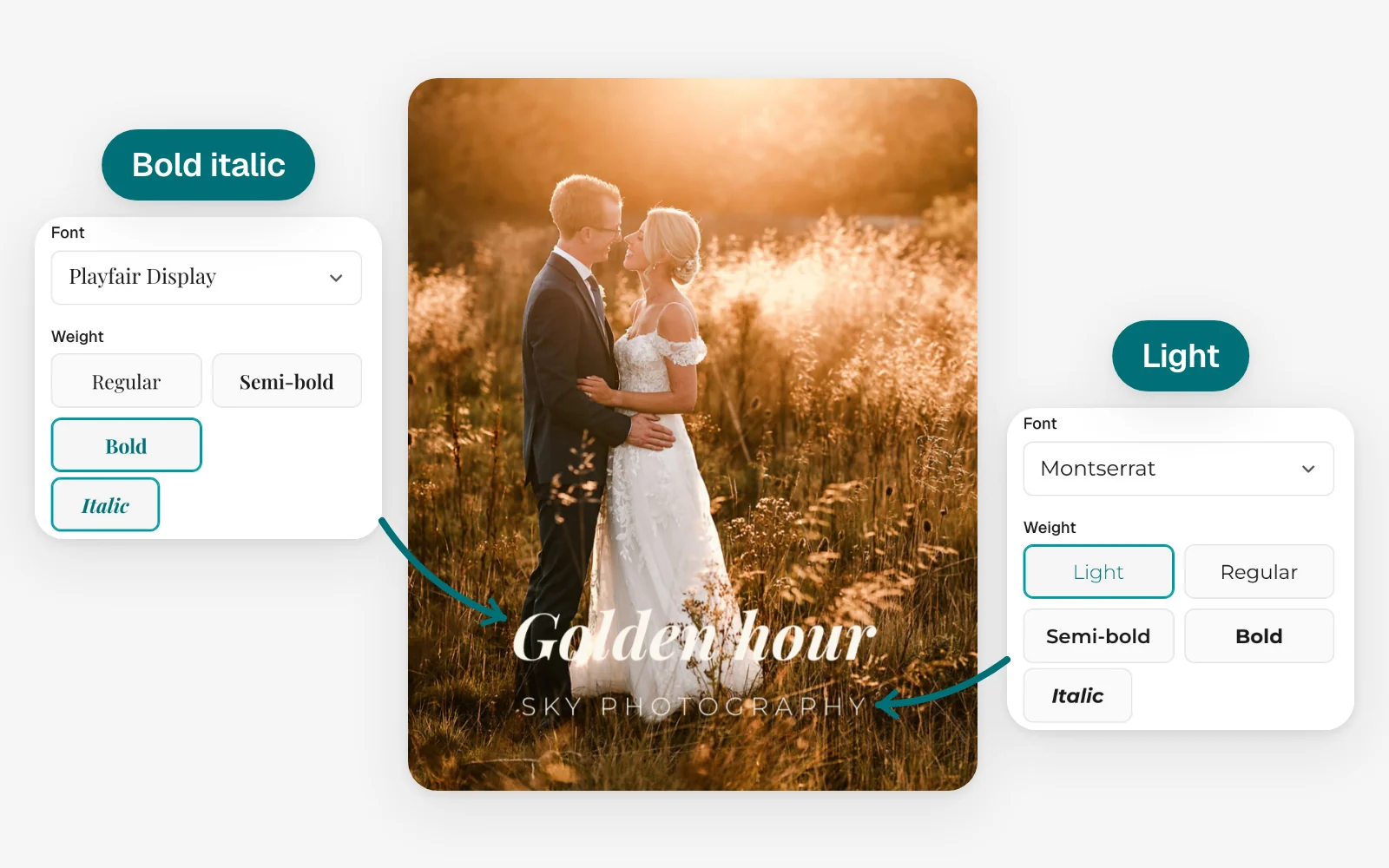
Click a line of text and choose how heavy it is, right beside the font name: Light, Regular, Semi-bold or Bold, whichever the font comes in, then switch on Italic.
Light names, bold italic headings
Click a line of text and choose how heavy it is, right beside the font name: Light, Regular, Semi-bold or Bold, whichever the font comes in, then switch on Italic. Put a couple's names in a fine Light under a heading in Bold italic, on your computer or your phone. Twelve popular fonts have the extra weights, including Montserrat, Playfair Display, Cormorant Garamond and Lora, with italic where the font has a real one. What you post is drawn from the font's own files, so it looks exactly as it did on screen. Before, you couldn't choose a weight, so a light name over a bold heading meant another app.
Small caps for names and dates
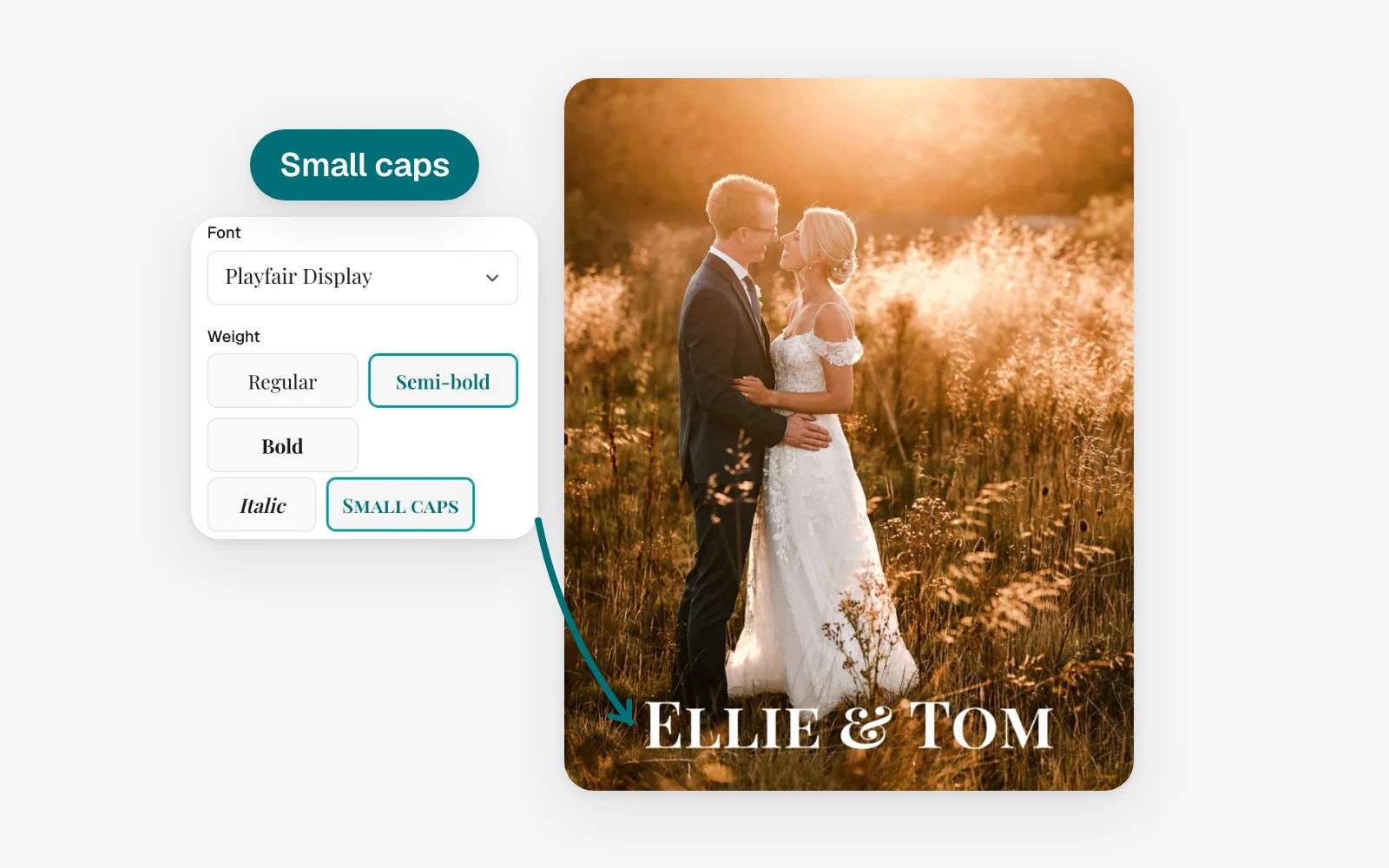
Switch on Small caps beside Italic and lowercase letters become the font's own small capitals, made for names, dates and venues. It works in Playfair Display, Montserrat and Cormorant Garamond (not its italic), on your computer or your phone, and your post shows the same letters you see on screen. Before, the nearest you could get was capitals typed smaller, which look thin beside the real thing.
Go deeper
More Designer updates
Want all of this when we open?
Leave your email and we'll tell you the day it opens. When it opens: 14 days of everything, free. No card needed.