Instagram post size for photographers: what Instagram actually does to your photos
 3:4
Portrait
1080 × 1440
Fills the grid tile
- 4:5
Portrait via a scheduler
1080 × 1350
- 1:1
Square
1080 × 1080
- 1.91:1
Landscape
1080 × 566
The widest
The best Instagram post size for a photographer posting from the app is 1080 × 1440 pixels (3:4 portrait). It's the tallest shape Instagram keeps uncropped, and it's the exact shape of the tiles on your profile grid.
Below: every size that matters, where each number comes from, and what we saw when we posted photos and measured what came back. Last checked 24 October 2026.
Or skip the sizing. With WedSchedulePro you send photos straight from Lightroom, pick the shape for each post and see the crop before it goes out. See how it works →
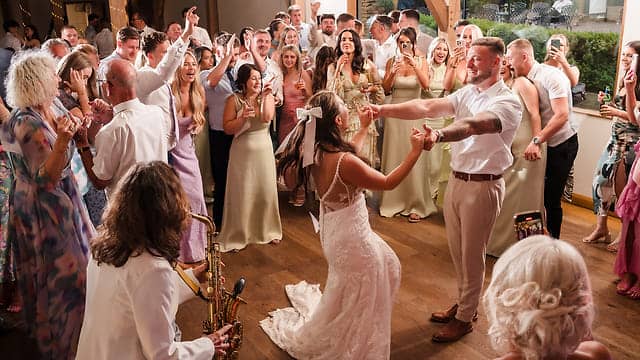
After 15 years of shooting weddings, the thing that still gets me is seeing one of my photos shared as a square. I frame every shot on purpose, and a square crop can cut away exactly what made it work. Choosing the shape yourself is the only way to keep the photo you actually took.
What size should an Instagram post be?
Post photos 1080 pixels wide, in any shape from 1.91:1 landscape to 3:4 portrait. Inside that range, Instagram's app keeps your photo at its original resolution; wider photos are sized down to 1080, and shapes outside it are cropped to fit.
If a scheduling tool posts for you, it goes through Meta's publishing API instead of the app, and the rules are different. Meta's developer documentation lists a range of 4:5 to 1.91:1 and widths up to 1440 pixels. Both sets of numbers are real; they describe two different doors into Instagram.
| Post | Posting in the Instagram app | Posted by a scheduler (Meta's API) | Notes |
|---|---|---|---|
| Portrait | 1080 × 1440 (3:4) | 1080 × 1350 (4:5) documented; up to 1440 wide | 3:4 matches the profile grid |
| Square | 1080 × 1080 (1:1) | 1080 × 1080, up to 1440 × 1440 | Loses its sides on the grid (below) |
| Landscape | 1080 × 566 (1.91:1) is the widest | Same 1.91:1 limit, up to 1440 wide | A 3:2 wedding frame is 1080 × 720 |
| Carousel | Every slide takes the first slide's shape | Up to 20 slides, cropped to slide 1 | Choose slide 1's shape deliberately |
| Story | 1080 × 1920 (9:16) | 9:16 recommended | Keep text away from the top and bottom edges |
Sources: the app column is Instagram's help centre; the API column is Meta's media reference and content publishing guide. All read on 24 October 2026.
What shape shows best on your Instagram profile grid?
3:4 portrait. The profile grid now shows every post as a 3:4 tile, so a 3:4 photo is the only shape that appears on your grid exactly as you framed it.
- a 4:5 portrait loses about 6% of its width;
- a square loses a quarter of its width;
- a 3:2 landscape, the shape most cameras shoot, loses half of its width.
That last one matters to wedding photographers. Half of a landscape first dance disappears from your grid, even though the full photo is there when someone taps it.
Does Instagram crop or shrink your photos?
Yes, in two cases: a photo wider than 1080 pixels is shrunk to 1080, and a shape outside 1.91:1 to 3:4 is cropped to fit. A photo narrower than 320 pixels is enlarged, which is where the soft, blocky look comes from.
Instagram's help centre says this in plain words: photos between 320 and 1080 pixels wide keep their original resolution "as long as the photo's aspect ratio is between 1.91:1 and 3:4". Meta's API documentation adds one more rule that catches photographers out: images in other colour spaces "will have their color spaces converted to sRGB". Export in sRGB yourself and you decide how the colours land, not Instagram.
What neither page tells you is how hard Instagram re-compresses the file. It doesn't publish that, so anyone quoting you a number is guessing.
What did we see when we posted and measured?
Through Meta's API, Instagram accepted tall 9:16 photos and showed them uncropped, even though its documentation says 4:5 is the tallest shape. We tested it twice on our own account: a single photo on 9 October 2026, and a two-photo carousel on 21 October 2026, both served at 9:16.
The carousel is still live if you want to check it. Two tests is not a rule, and Instagram can change behaviour that it hasn't documented, so treat 9:16 feed posts as something that works today, not something Meta promises. If you post from the app, 3:4 is still the tallest shape it keeps.
What size is an Instagram carousel?
A carousel takes the shape of its first slide, so 1080 × 1440 (3:4) in the app, or 1080 × 1350 (4:5) through a scheduler, for every slide. Meta's publishing guide says carousel images "are all cropped based on the first image", and allows up to 20 slides.
Put a portrait first and every landscape after it gets cropped to portrait. If the set is mostly landscape, either lead with a landscape or place the landscapes inside a portrait frame with a border, so nothing gets cut.
What size is an Instagram Story?
1080 × 1920 pixels, 9:16. Meta recommends 9:16 "to avoid cropping or blank space".
Instagram puts your name at the top and the reply bar at the bottom, so keep faces and text away from both edges. Meta doesn't publish exact safe zones for ordinary Stories, so leave generous room rather than trusting a pixel figure from a blog.
How should you post landscape wedding photos?
Post landscapes as landscapes when the photo needs its width, and accept that the grid will show the middle half. When the grid matters more, put the landscape inside a 3:4 frame with a border, or crop a portrait from it.
There is no shape that suits both. A 3:2 photo posted at 1080 × 720 is small on a phone screen and half-hidden on the grid; the same photo framed in 3:4 fills more of the screen and survives the grid, with borders above and below.
How do you export from Lightroom for Instagram?
Export a JPEG in sRGB, 1080 pixels on the short edge for a portrait, in the shape you want on the grid. Crop to 3:4 (or 4:5 if a scheduler posts it) in Lightroom before exporting, so Instagram never has to crop for you.
Read our full guide to Lightroom export settings for Instagram.