New featureDesigner
Photos that land on the people, and 26 new fonts
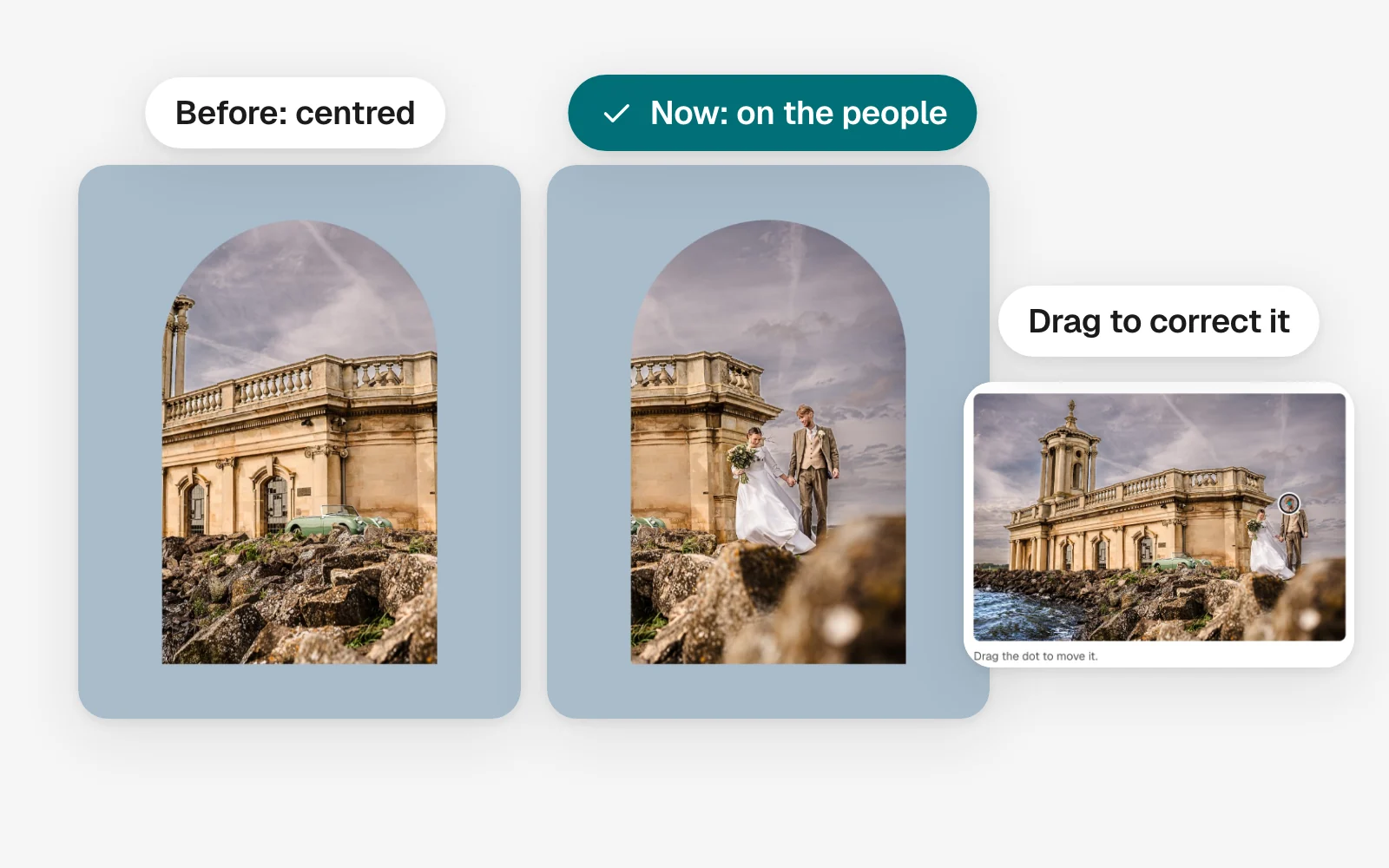
Now when you drop a photo into a template, a style or a frame, it's placed on the people, not cut off at the forehead.
Photos that land on the people
Now when you drop a photo into a template, a style or a frame, it's placed on the people, not cut off at the forehead. We find the spot when you upload, and you can drag it if we guess wrong. It works on the photos you've already uploaded too. Before, you nudged every photo into place by hand.
Every font and style at a size you can judge
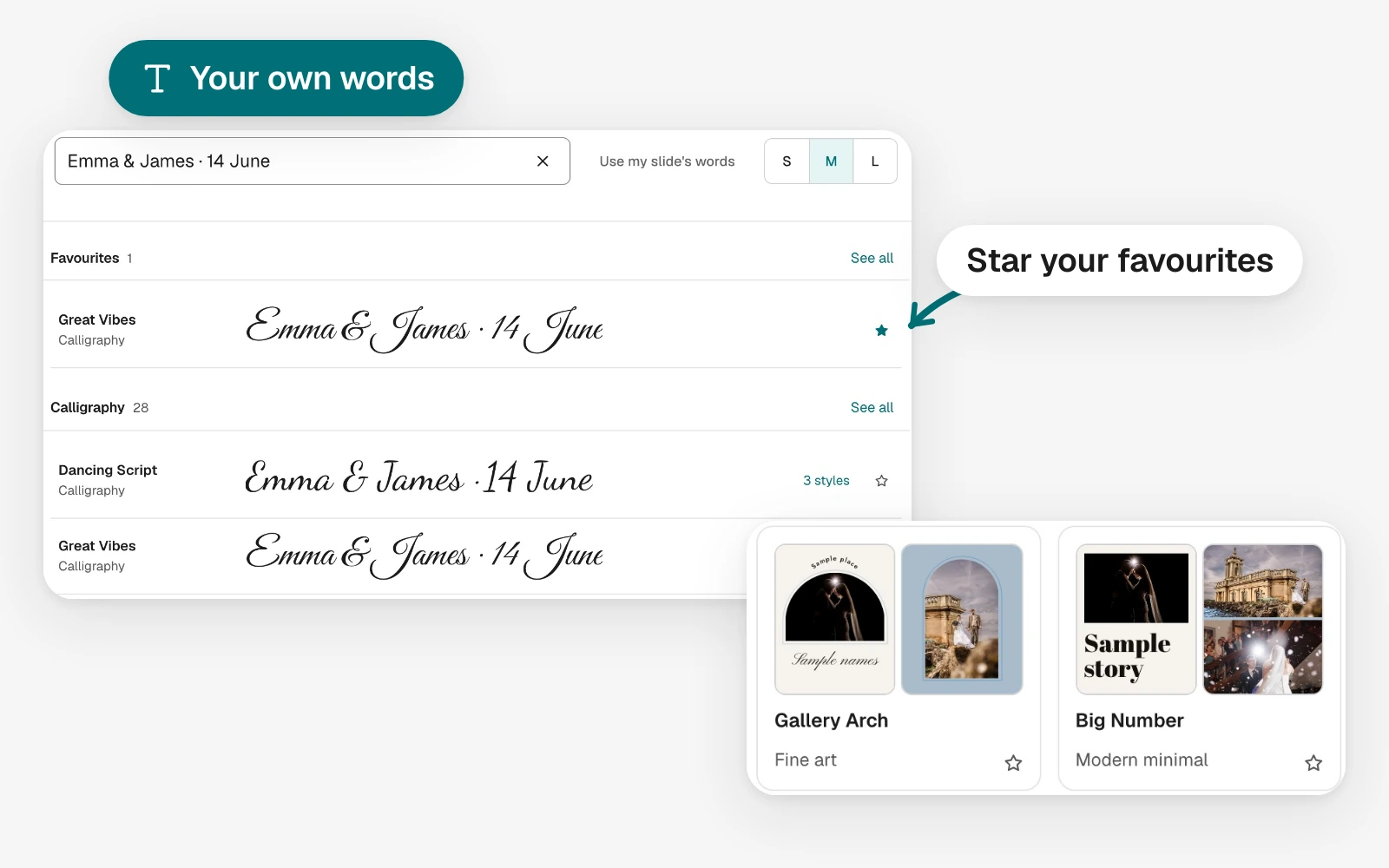
Open the library in the Designer and see every font written in your own words, "Emma & James · 14 June" or whatever you type, next to the ready-made styles. Star your favourites and they're waiting next time. Before, you picked from a small list and guessed.
A typewriter date, a brush-script name
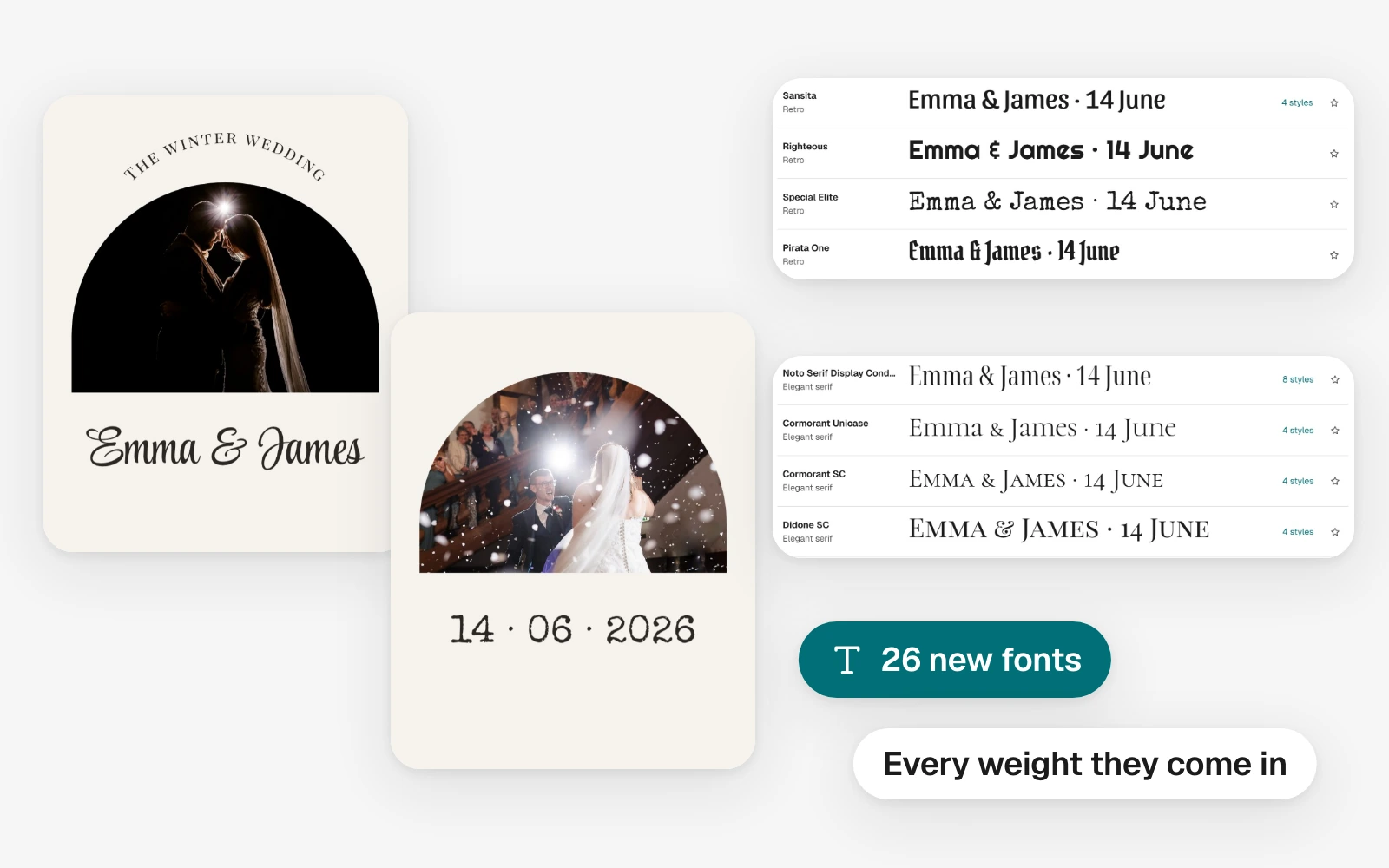
Now you can set a date in a typewriter face, a name in a brush script or a heading in real small caps, without leaving the Designer. 26 new fonts, each with the weights and italics it comes in, in the font picker and in your Branding font library. Star the ones you like and they sit at the top.
Your templates, filed where you'll find them
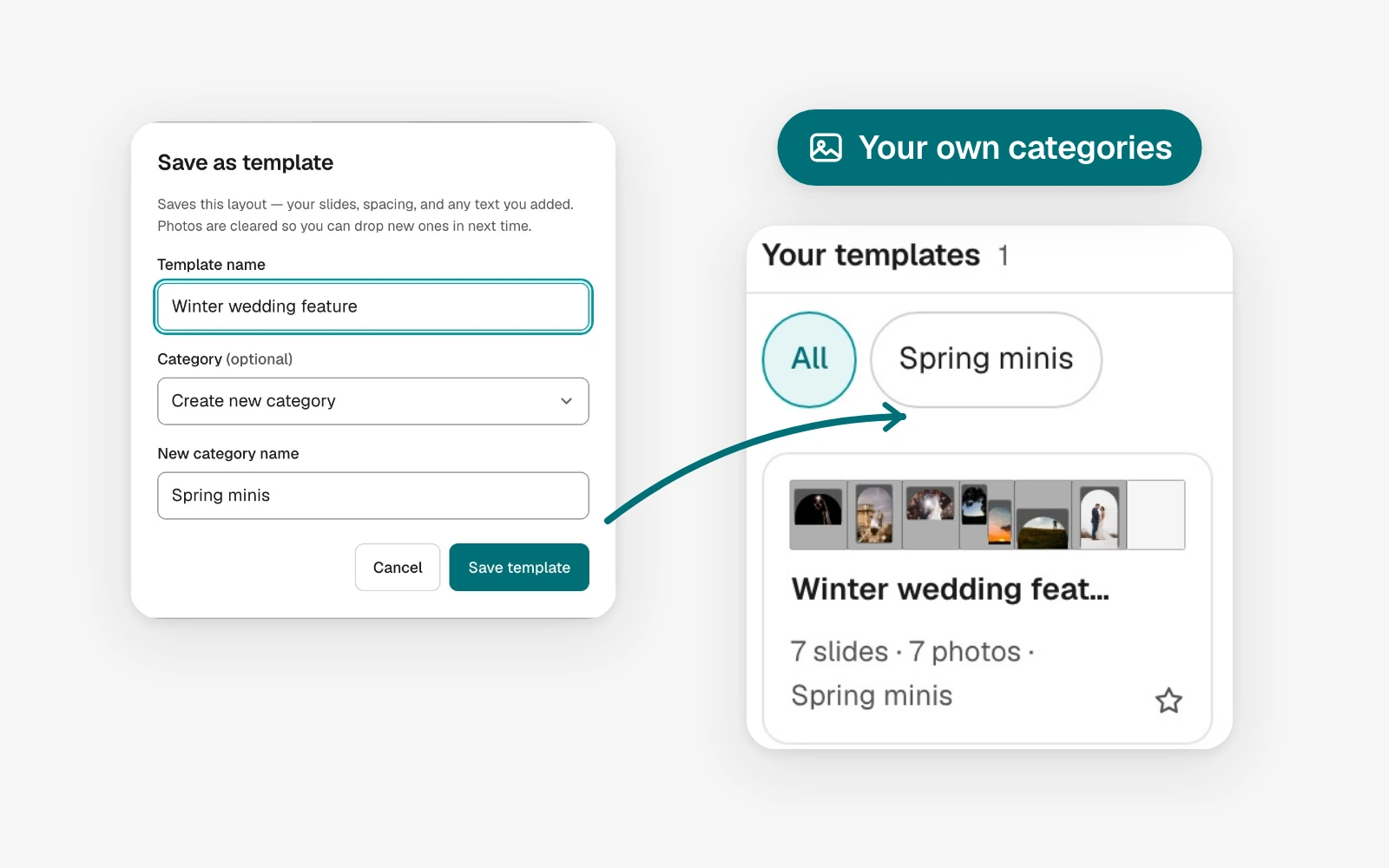
Save as template now asks where it goes. Pick one of the template categories or make your own, like "Spring minis" (only your account sees yours), and your template waits under that category next time. If you work through Claude or ChatGPT, it can save a design into a category too. Before, everything you saved landed in one pile.
Also on 12 November
- New26 new fonts in the Designer, each with the weights and italics it comes in: brush scripts, typewriter and mono faces, real small caps, retro display, hand-lettered and blackletter styles. Before, a typewriter date line or a brush-script name meant making the slide in another app.
- NewOpen the library in the Designer and see every font written in your own words, next to the ready-made styles. Star your favourites and they're waiting next time. Before, you picked from a small list and guessed.
- NewDrop a photo into a template, a style or a frame and it lands on the people, not cut off at the forehead. We find the spot when you upload, and you can drag it if we guess wrong. Before, you nudged every photo into place by hand.
- ImprovedSave as template now asks where it goes. Pick one of the template categories or make your own, like "Spring minis" (only your account sees yours), and your template waits under that category next time. Before, everything you saved landed in one pile. If you work through Claude or ChatGPT, it can save a design into a category too.
Go deeper
More Designer updates
Want all of this when we open?
Leave your email and we'll tell you the day it opens. When it opens: 14 days of everything, free. No card needed.