New featureDesigner
Layers, slide colours, wide Instagram posts and more
Now every slide in the Designer has a Layers list.
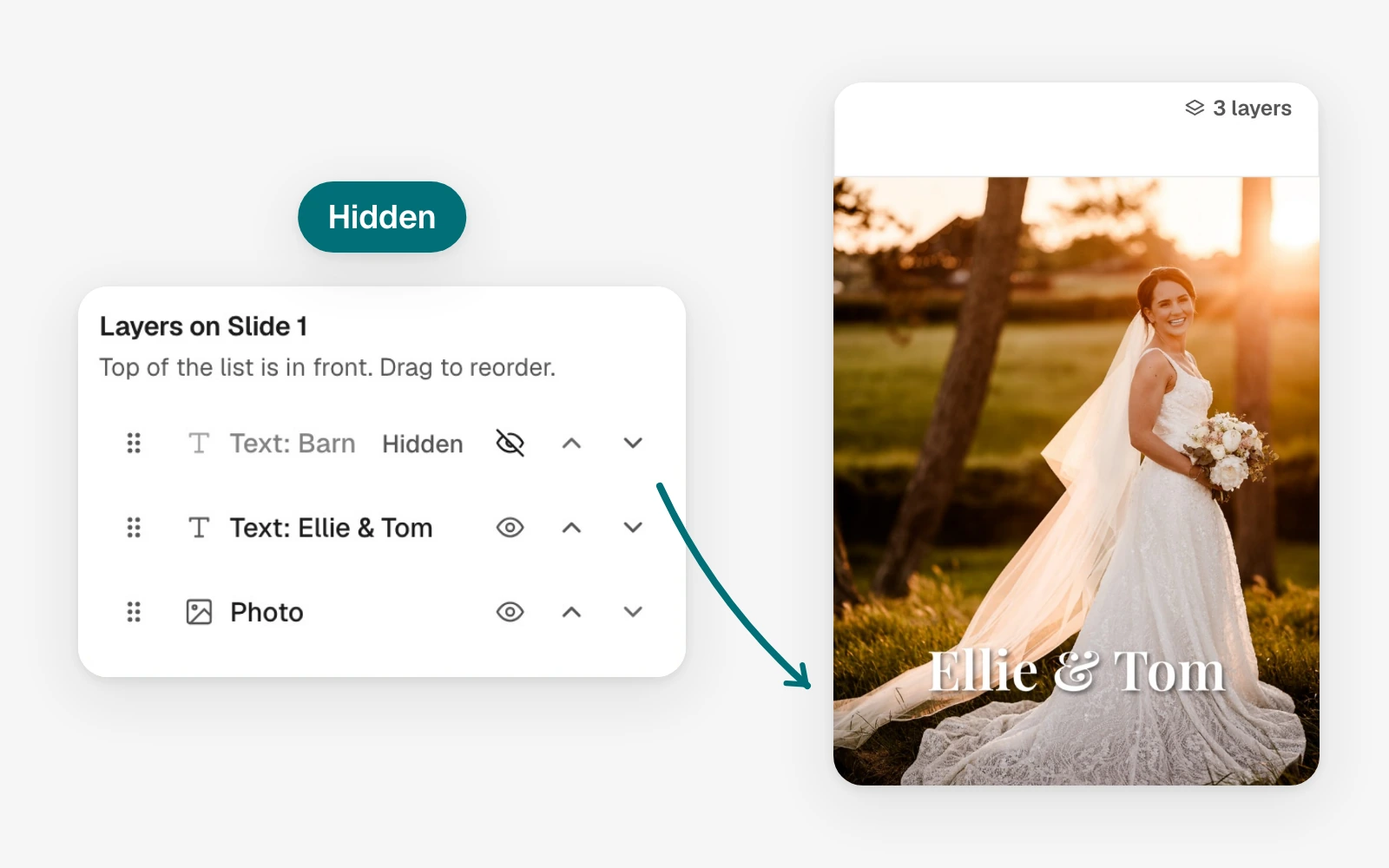
Reach what's hiding under your photo
Now every slide in the Designer has a Layers list. Open it from the slide's tab, pick anything on the slide, even a line of text tucked under a photo, and drag it up or down. Tap a layer's eye to hide it: it stays in your design but is left out of the post, and we tell you how many are hidden before you send. So you can try a slide with and without its caption without deleting a word. Hold Alt (Option on a Mac) to put something exactly where you want it, without it snapping. Before, text that slipped behind a photo was hard to reach, and trying a slide without it meant deleting it. On Solo and above.
Every slide in your brand colour, in one press
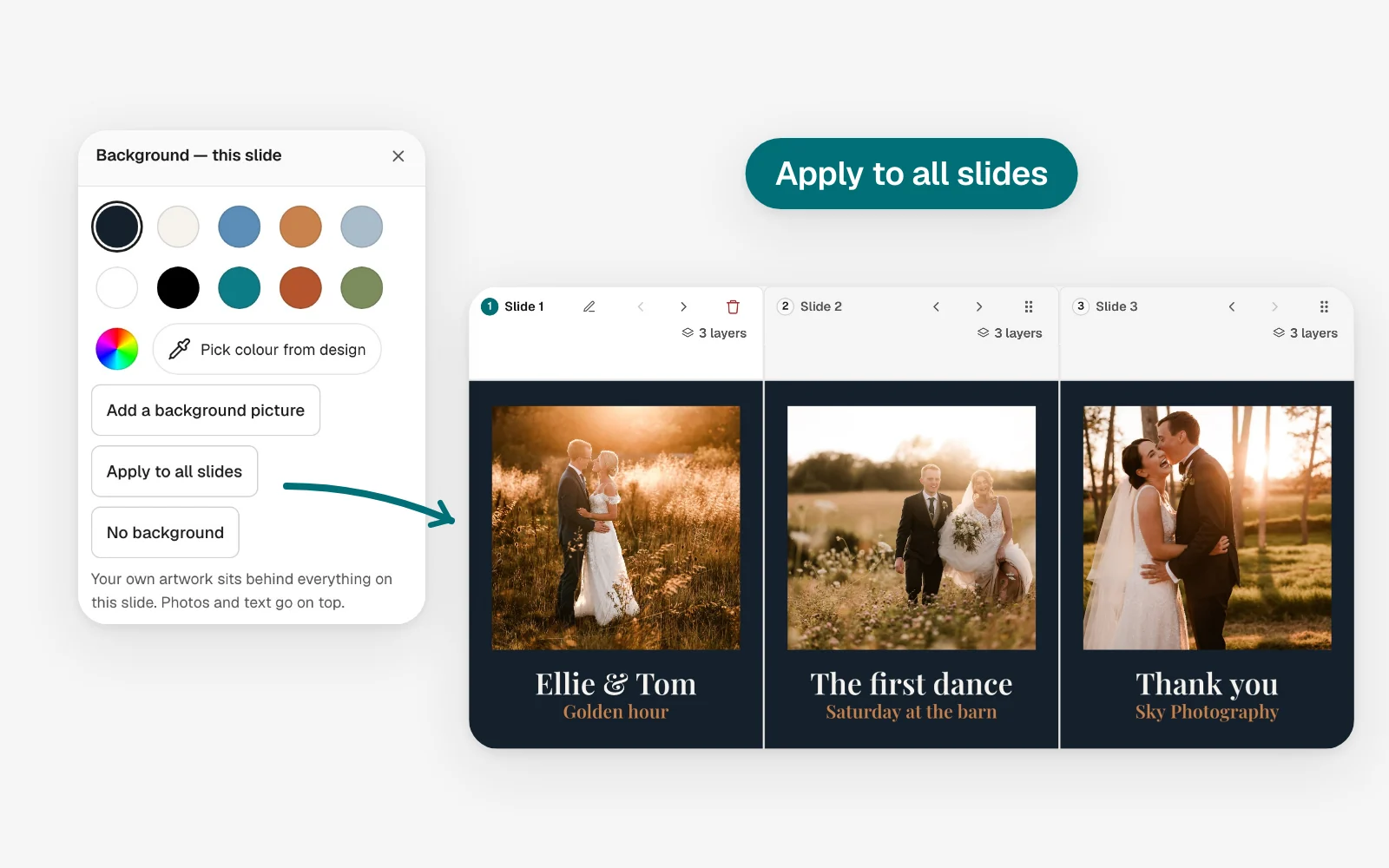
Now you can give any slide in the Designer a solid colour, with your brand colours offered first, then press Apply to all slides to colour the whole carousel at once. It works on your computer, tablet or phone, and emoji you add now post in full colour, just as they look on the slide. Before, a slide colour could only be set on your phone, one slide at a time. On Solo and above.
Wide and tall Instagram posts, framed as you shot them
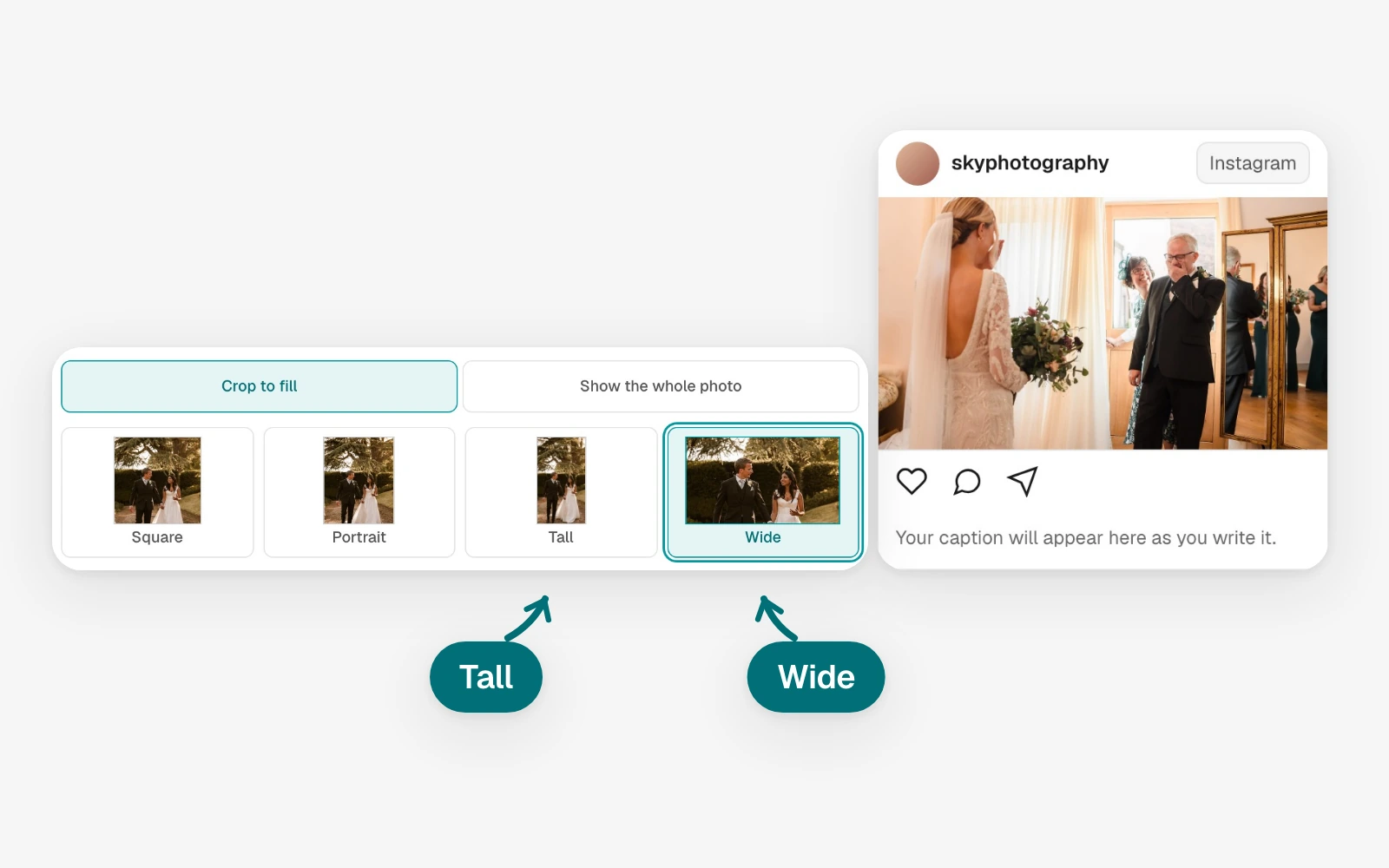
Now you can post to your Instagram feed in Wide or Tall as well as Square and Portrait. Pick the shape from pictures that show how each one frames your photo, then choose Crop to fill or Show the whole photo. What you pick is the shape we send to Instagram. It's on every plan in Compose, and on Solo and above the same picker in your queue changes a whole run of posts at once. Before, a wide shot of the ceremony had to be cut down to a square or a portrait.
Know who gets credited before you post
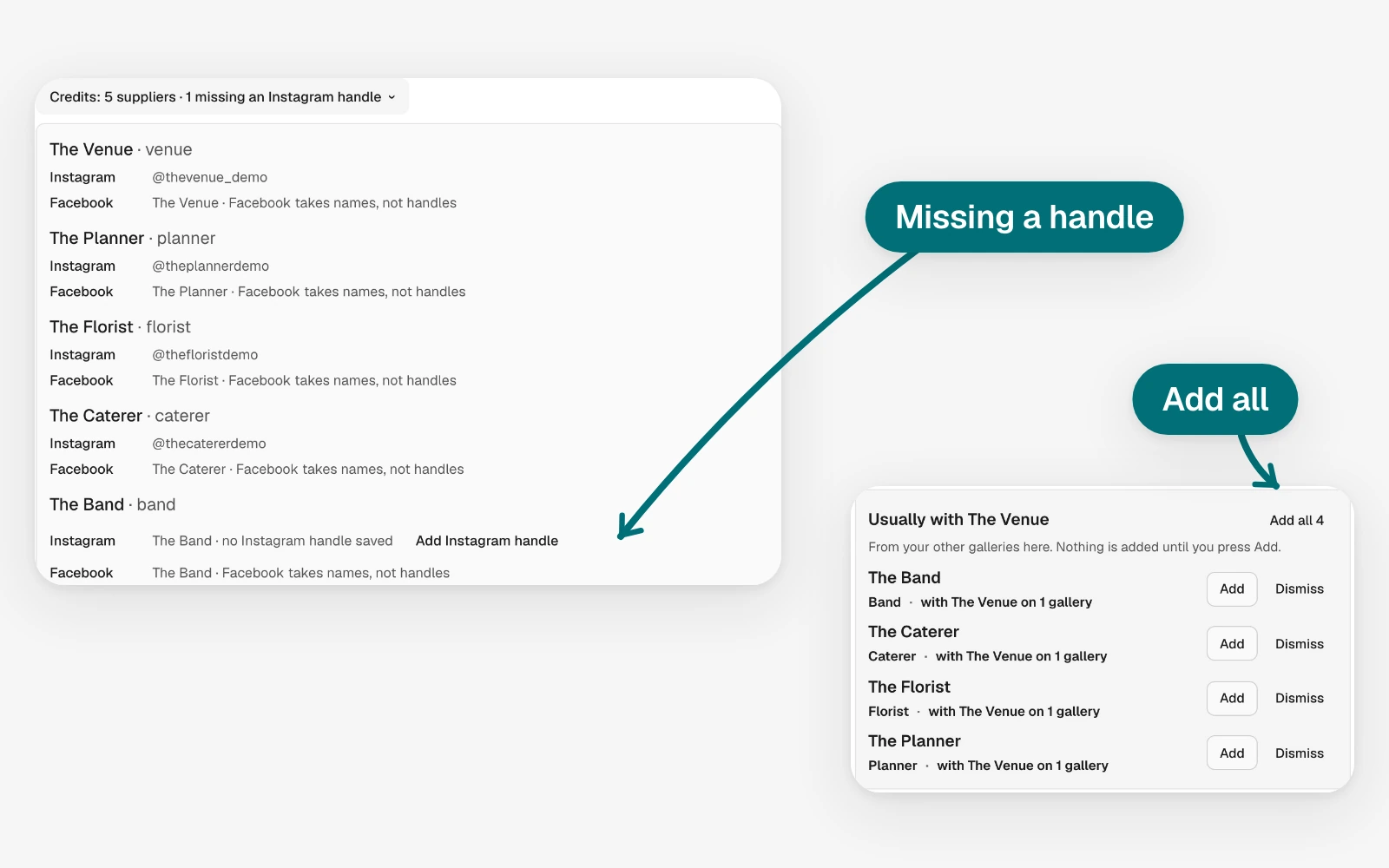
Now a line under your caption counts everyone you're crediting and flags anyone missing a handle for a platform. Open it to see, platform by platform, who goes out as their @handle, who by name, and who is left out and why. Add a missing handle right there and it's used in every post you haven't sent yet. And when a gallery's venue is someone you've saved, we suggest the team you usually credit there, such as the caterer, band and planner: add each one, press Add all, or dismiss them. Nothing is added until you press. Before, you found out the florist went out untagged after the post was live, and typed the same names for every wedding at that venue.
Tell us what to build next
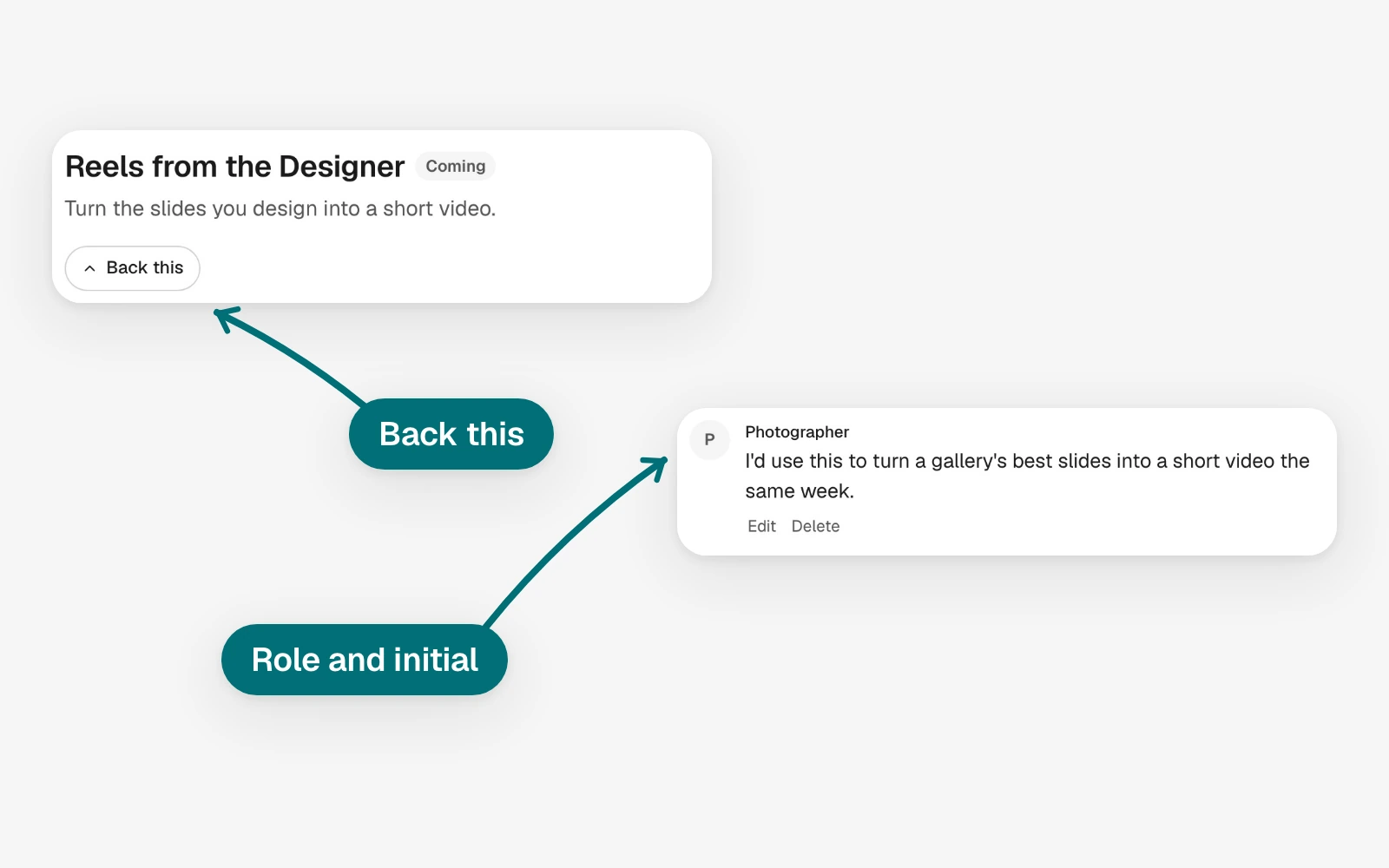
Now you can back anything on our roadmap with one click, see how many businesses back each item, and find everything you've backed on the Yours tab. It's one backing per business, and anyone on your team can add or remove it. Search the ideas, back one that already says what you want, or add your own, and each one gets a plain status so you can see what happened to it. Comment on how you'd use something: comments show your role, such as Photographer or Florist, and an initial, never your name or business. We read every idea and comment before it shows. Before, there was no way to tell us what mattered most to you.
Go deeper
More Designer updates
Want all of this when we open?
Leave your email and we'll tell you the day it opens. When it opens: 14 days of everything, free. No card needed.