New featureDesigner
Designer 2.0: Instagram carousel templates in your own photos and brand colours
Now you can tell the Designer what you're making, whether that's a wedding feature, a client's review, a tip or a booking post, and see every design for it on one page, side by side, in your own photos.
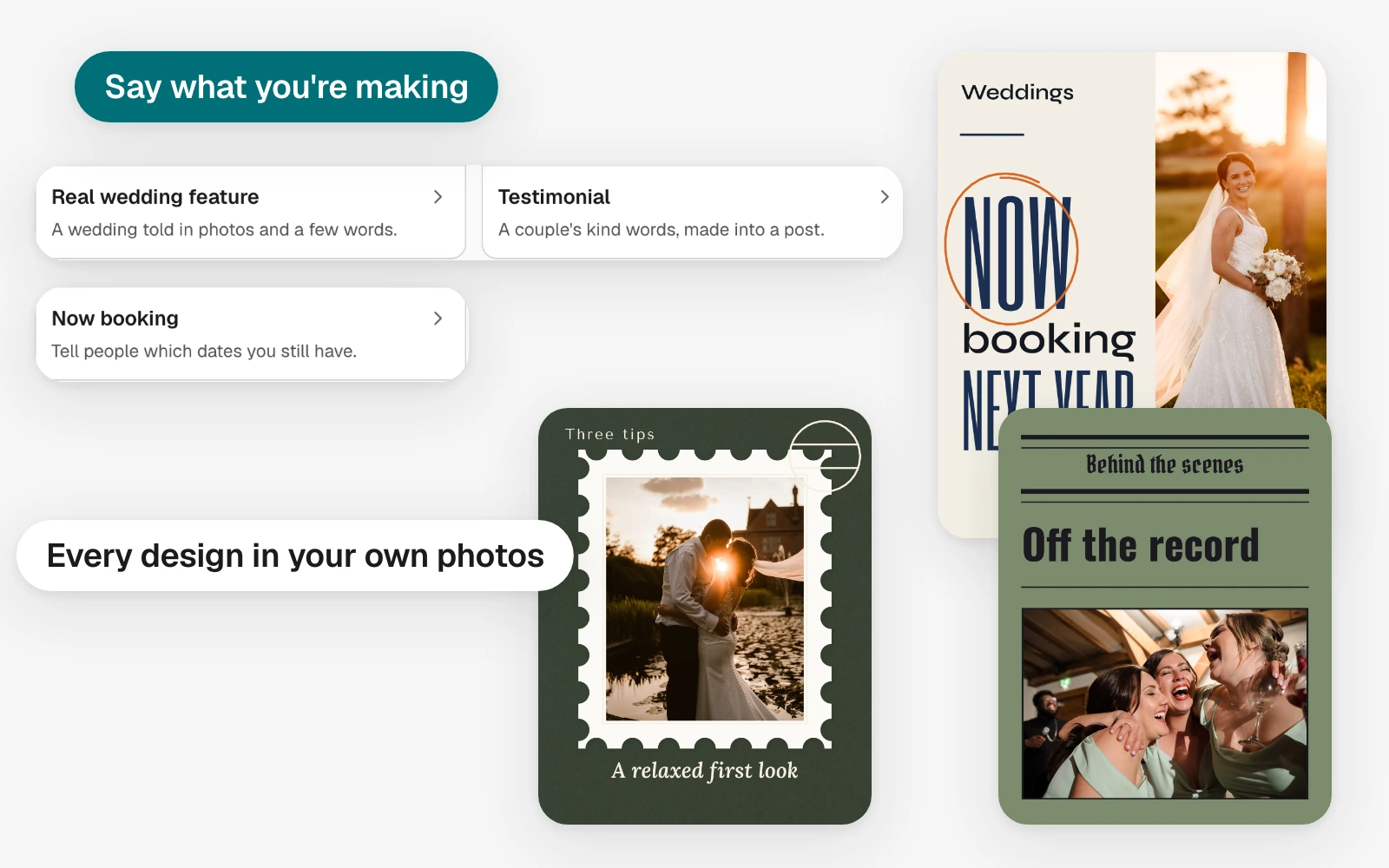
Start from what you're making
Now you can tell the Designer what you're making, whether that's a wedding feature, a client's review, a tip or a booking post, and see every design for it on one page, side by side, in your own photos. Search understands everyday words, so "review" finds the testimonial designs. Before, you hunted through styles and templates as two separate lists.
Styles that arrive finished
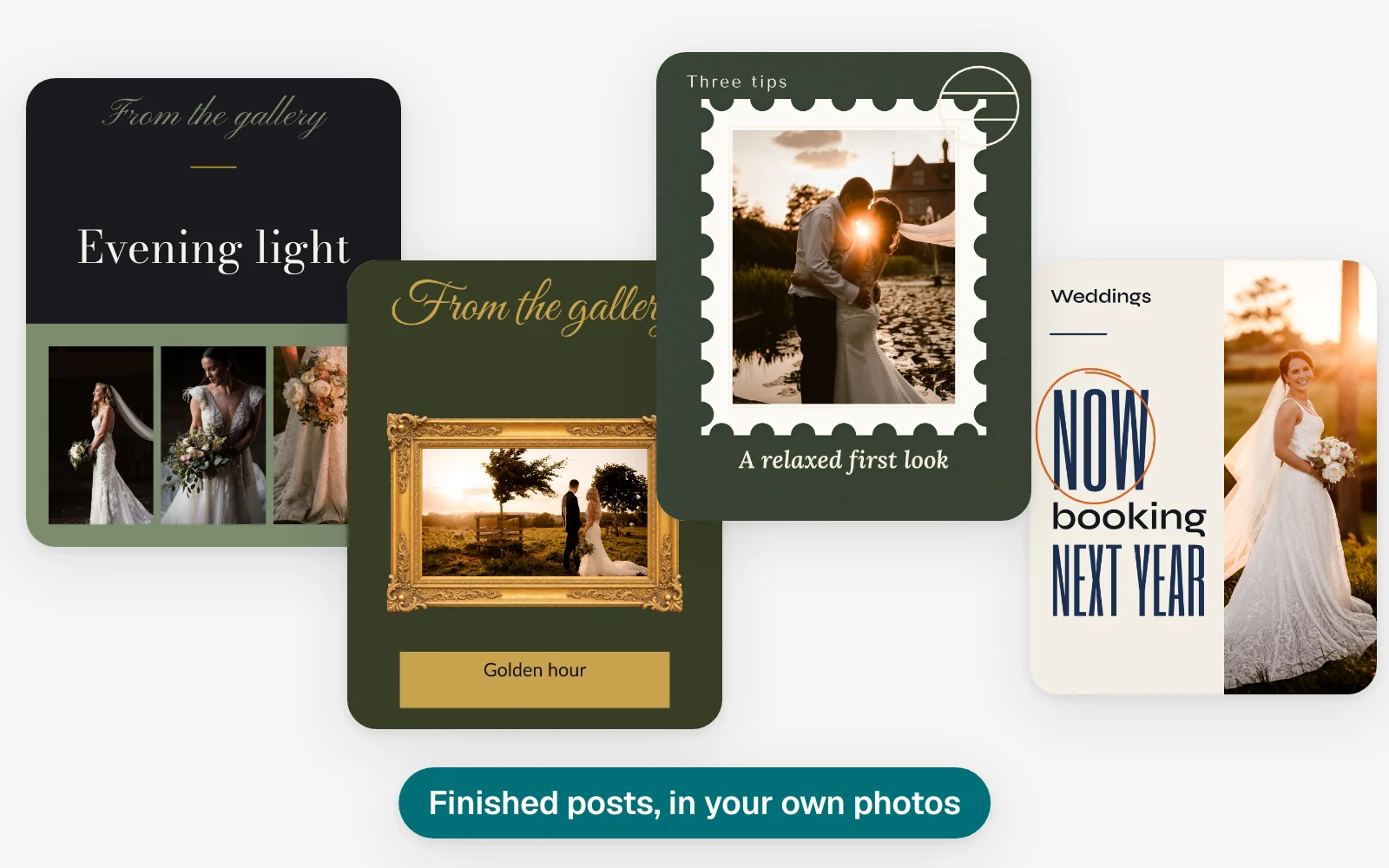
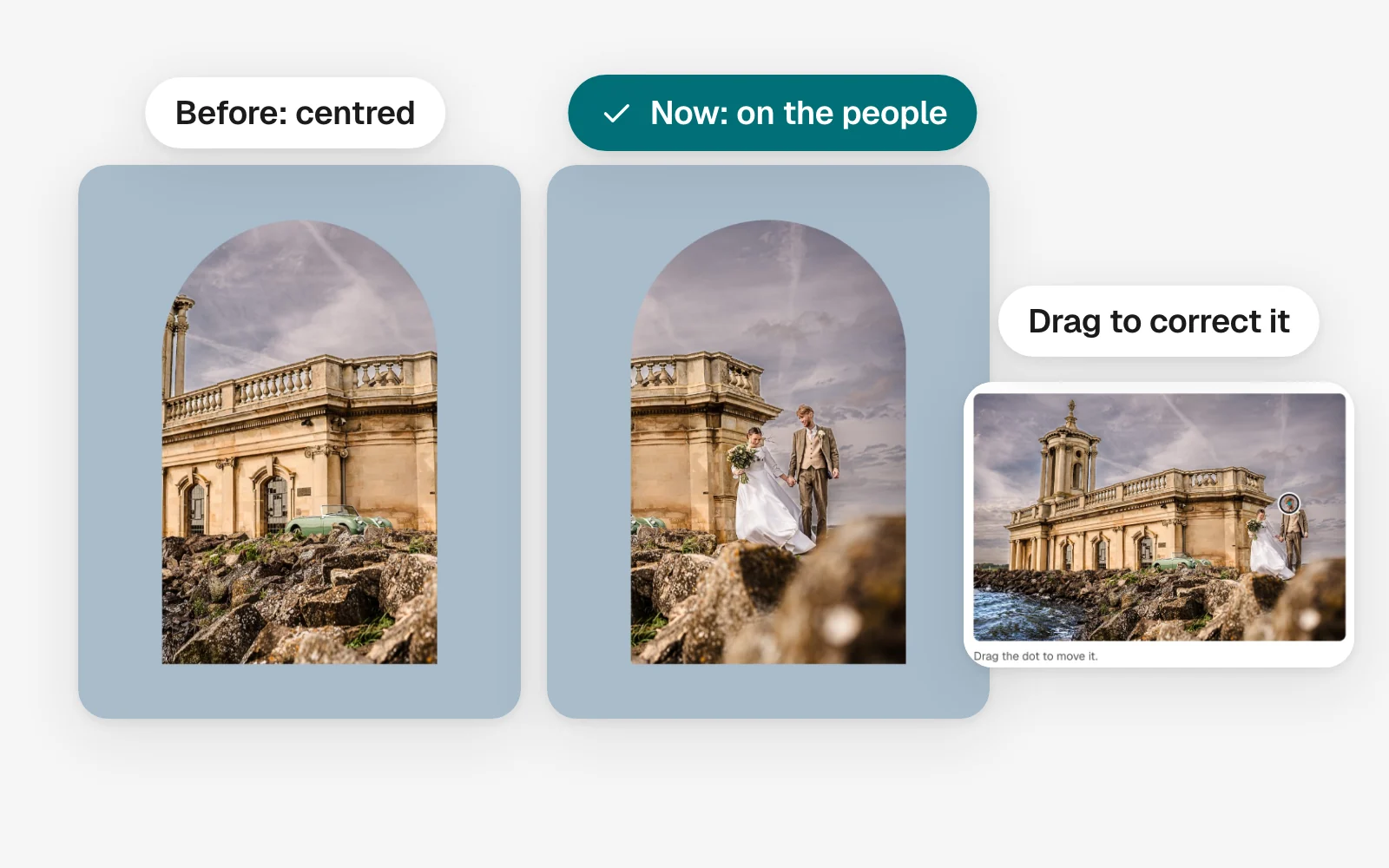
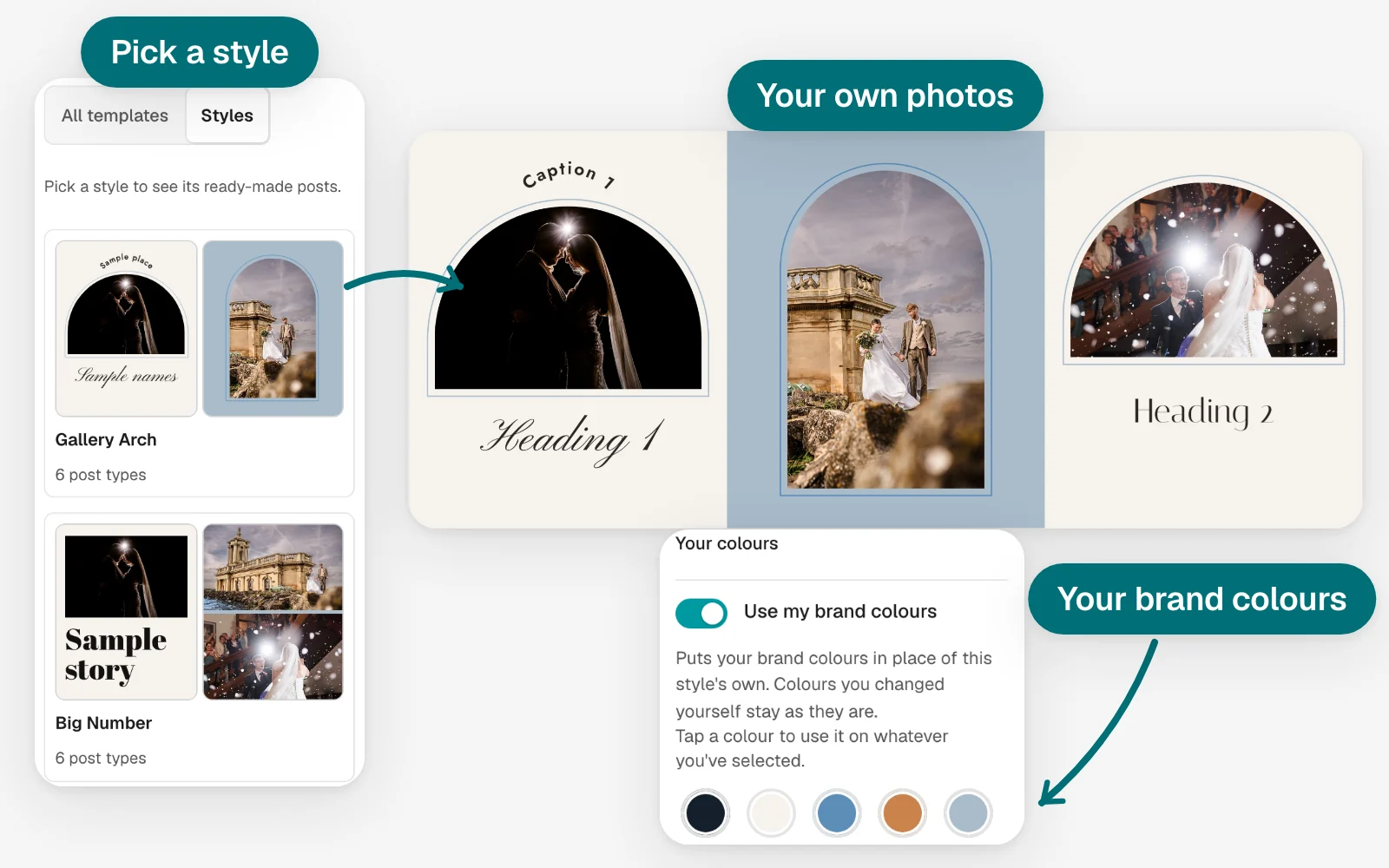
Pick a style and it arrives as a finished post in your own photos, with each photo placed on the people. There are new kinds of post too: Before and after, with labels you can retype, This or that, which asks your followers to pick, and Gallery Run, where your photos flow across the slides with the joins kept off faces. Before, you started from a blank slide or rebuilt last month's layout by hand.
Your brand colours, your way
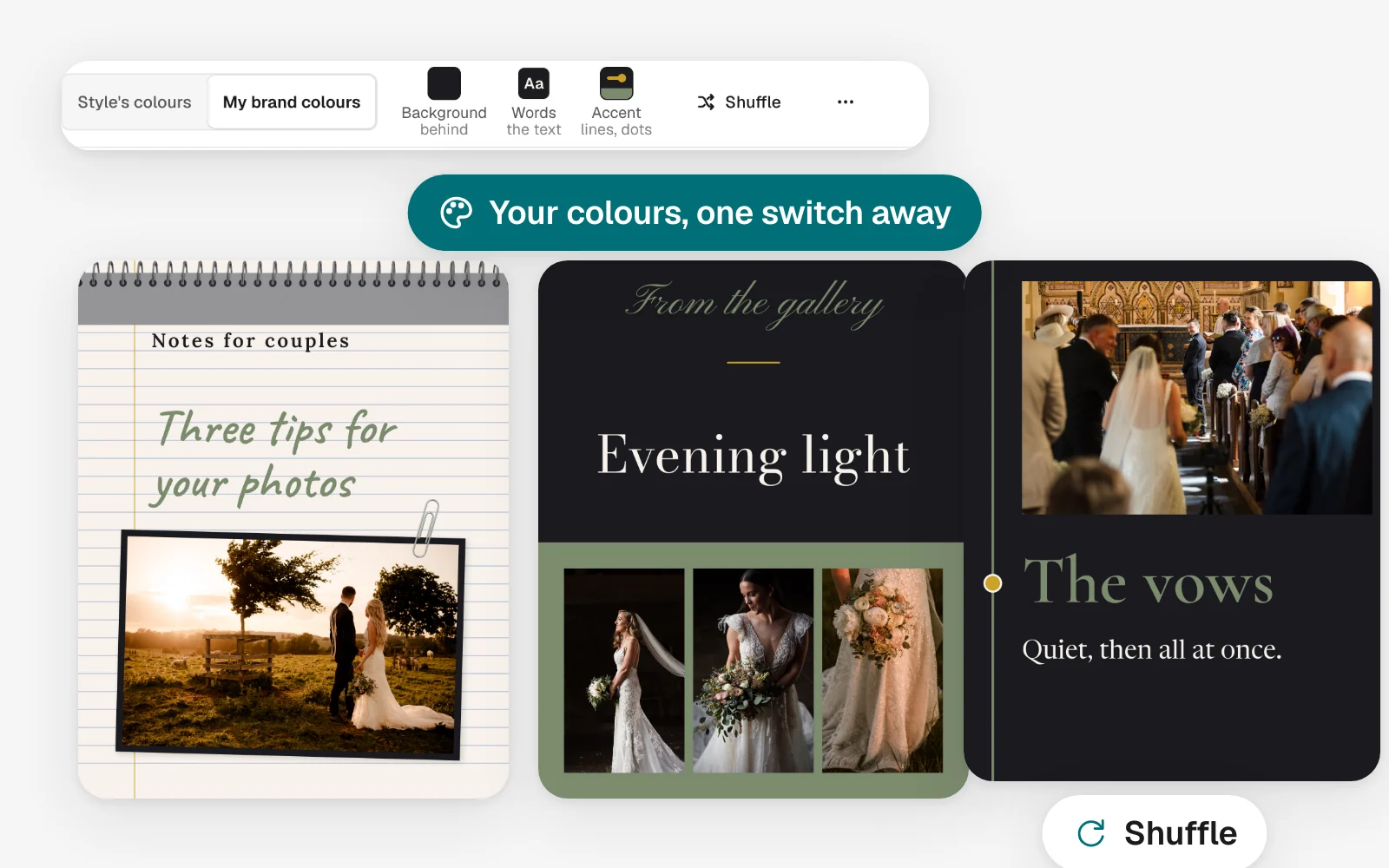
Previews open in the style's own colours, and one switch shows them all in yours. Choose which brand colour sits behind, or Shuffle through the arrangements where the words stay readable, then save the one you like to your Brand kit. Before, you recoloured each slide yourself.
Paper, frames and keepsakes
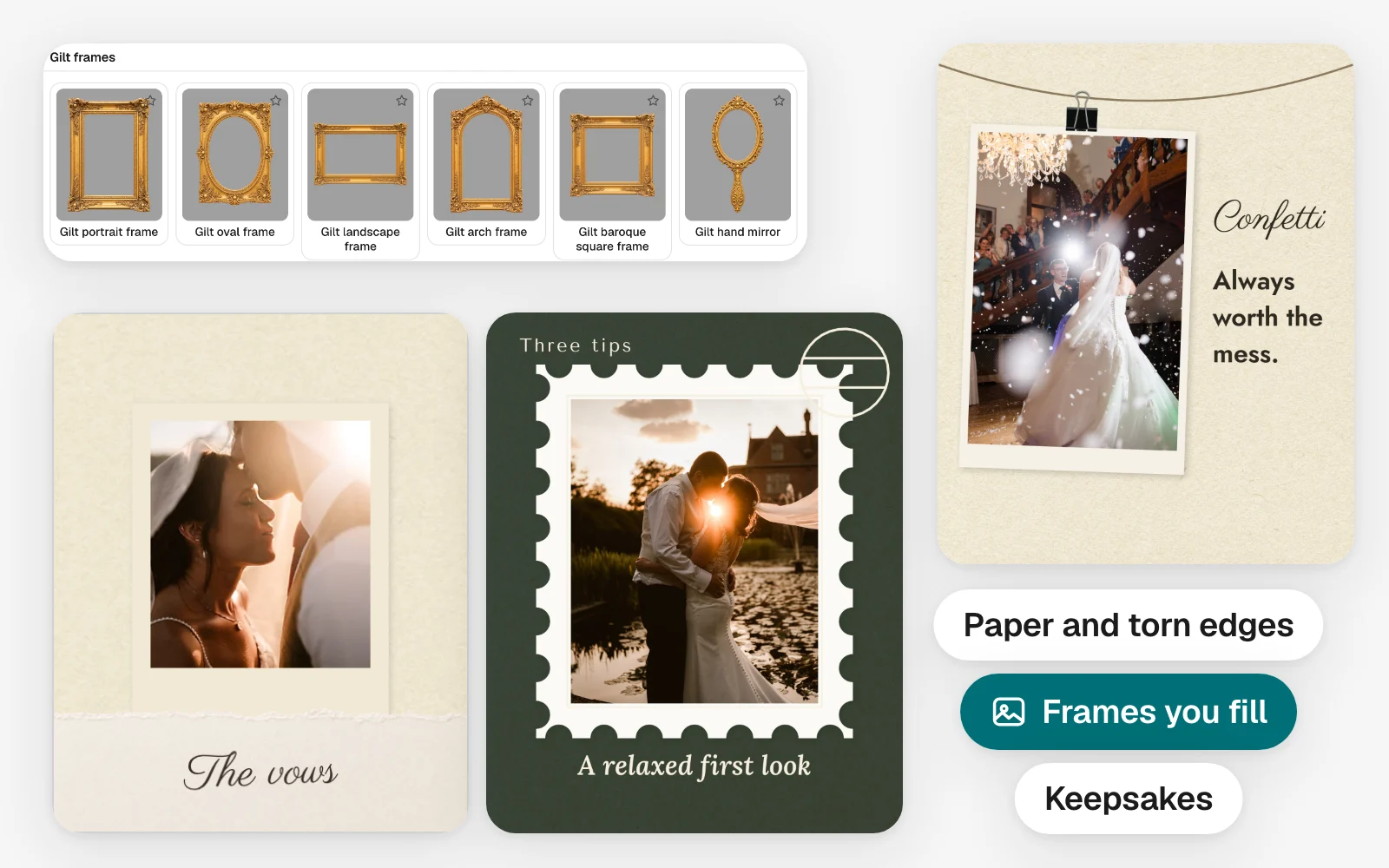
Lay a slide on watercolour paper or a soft wash in your colours, give it a torn or lace edge, and drop your photos into an instant print, a gilt frame or a film strip. Finish with grain or a light leak. Before, that look meant building it in another app and bringing it back.
One Add button
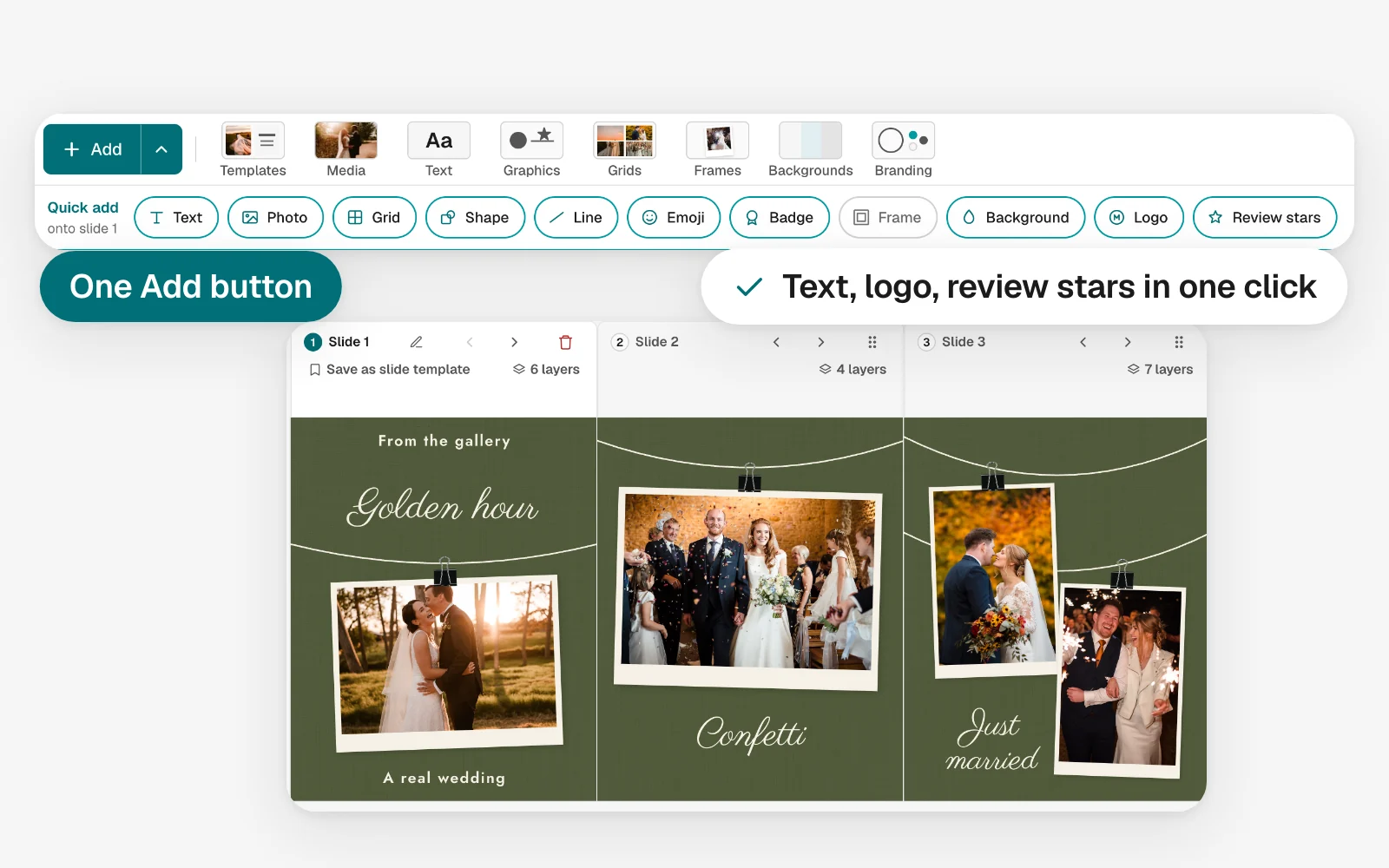
Everything you can put on a slide sits behind one Add button, shown as pictures: templates, your photos, text, graphics, grids, frames, backgrounds and your branding. The things you add most, such as text, your logo, a line or review stars, are one click away in Quick add. Before, a row of buttons each opened its own list.
Also on 20 November
- NewBrand colours in the Designer's picker. Choose which colour sits behind, or Shuffle through arrangements where the words stay readable, and save it to your Brand kit.
- NewThe Design Library in the Designer: paper and colour-wash backgrounds tinted to your colours, torn and lace edges, and frames and keepsakes your photos drop into.
- NewDesigner 2.0. Tell the Designer what you're making and see every design for it on one page, in your own photos. Search understands everyday words, so "review" finds the testimonial designs.
- NewBefore and after, This or that, and Gallery Run in the Designer's ready-made styles. Two matched photos with labels you can retype, three slides that ask your followers to pick, or a gallery that flows across the slides with the joins kept off faces.
- ImprovedOne Add button in the Designer opens everything you can put on a slide, shown as pictures, and Quick add puts text, your logo, a line or review stars on the slide in one click.
Go deeper
More Designer updates
Want all of this when we open?
Leave your email and we'll tell you the day it opens. When it opens: 14 days of everything, free. No card needed.