New featureDesigner
Slide templates in the Designer
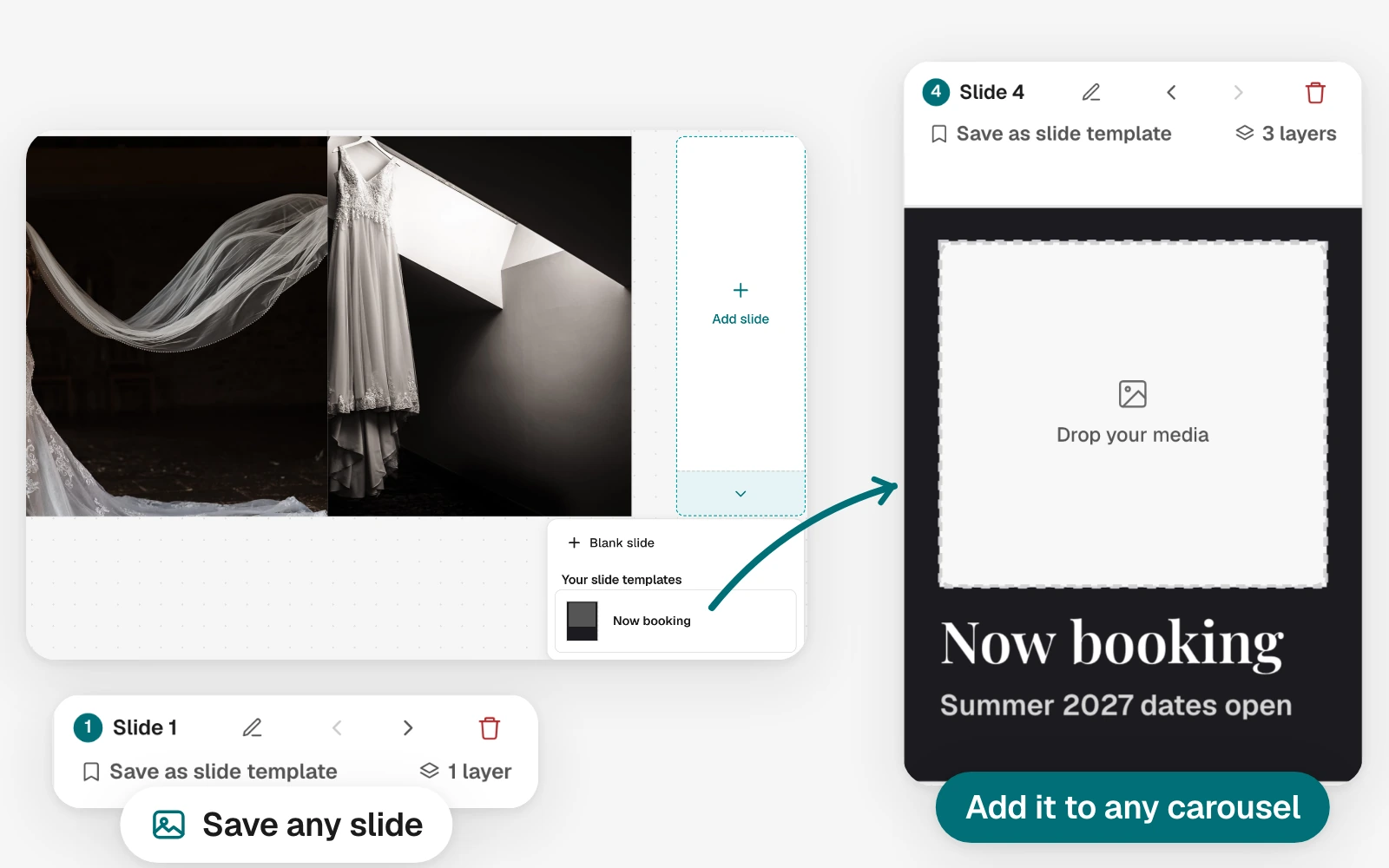
Now you can save any slide as a slide template, straight from that slide's tab.
Before
You had to add a blank slide first and then find your saved slide in the Templates panel to drop onto it.
Now
You can save any slide as a slide template, straight from that slide's tab.
Design a slide once, use it in every carousel
Now you can save any slide as a slide template, straight from that slide's tab. Next time, open the Add slide menu, pick it, and it arrives as a new slide with your layout and your brand colours, the photo spaces empty and ready for this shoot's photos. Your "Now booking" or "Thank you" slide is two clicks away in every carousel, and one undo takes it back out. Before, you had to add a blank slide first and then find your saved slide in the Templates panel to drop onto it.
Also on 10 November
- NewSave any slide as a slide template from its own tab, then add it to any carousel as a new slide from the Add slide menu, ready for new photos and in your brand colours.
Go deeper
More Designer updates
Want all of this when we open?
Leave your email and we'll tell you the day it opens. When it opens: 14 days of everything, free. No card needed.