New feature
Dark mode is here
If your phone or computer is set to dark, WedSchedulePro now follows it, so you may find the app has gone dark.
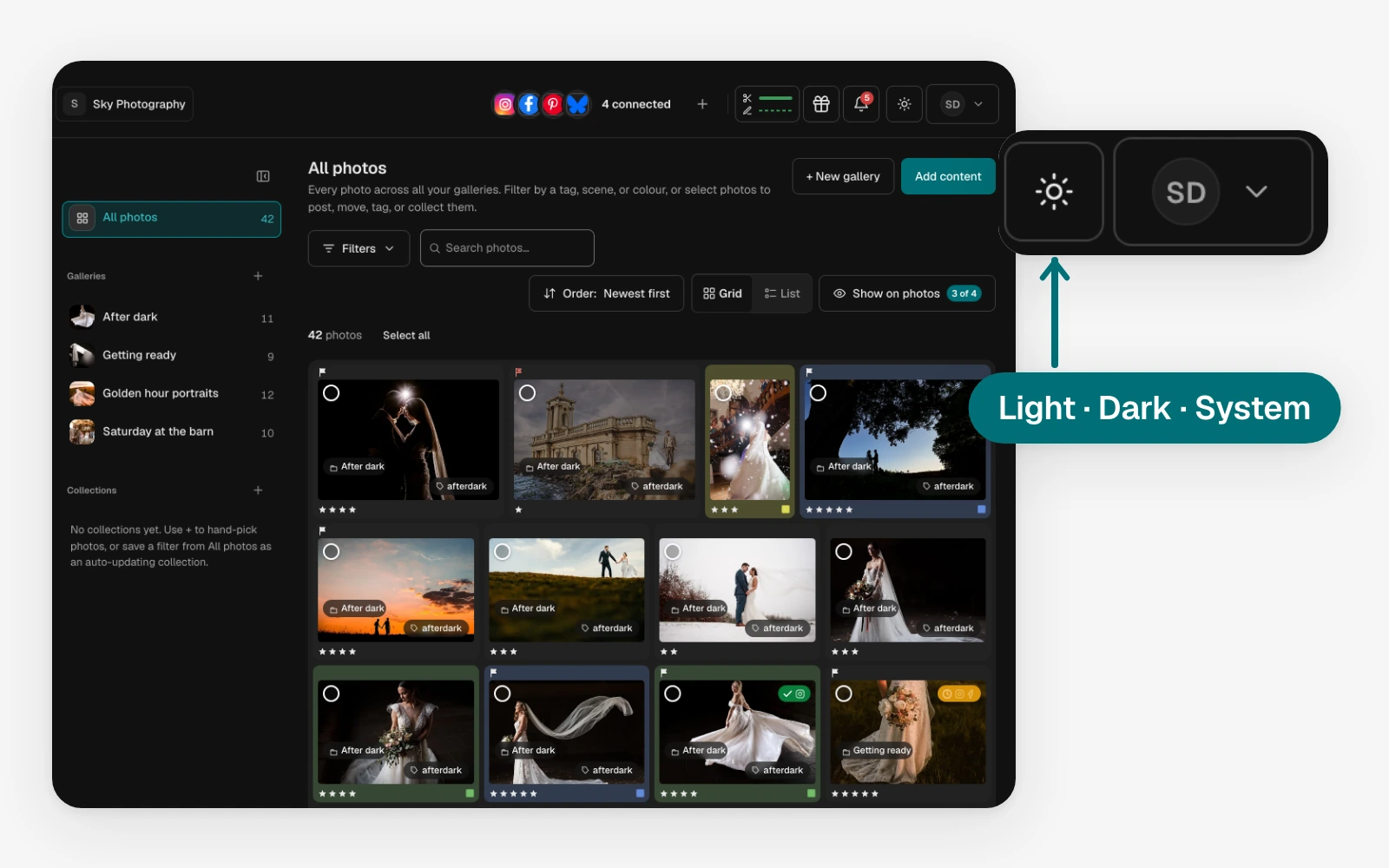
Before
The app was bright white whatever the hour.
Now
If your phone or computer is set to dark, WedSchedulePro now follows it, so you may find the app has gone dark.
Dark mode
If your phone or computer is set to dark, WedSchedulePro now follows it, so you may find the app has gone dark. That's on purpose. To change it, tap the sun and moon at the top of the app, or open Settings > Appearance and pick Light, Dark or System (System follows your device). On a phone, the switch is in your account menu.
Before, the app was bright white whatever the hour. The dark greys are neutral, with no colour cast, so the app stays out of the way of your photos.
Also on 14 November
- NewDark mode: the app follows your device's light or dark setting, or pick Light, Dark or System in Settings > Appearance.
Go deeper
More updates
Want all of this when we open?
Leave your email and we'll tell you the day it opens. When it opens: 14 days of everything, free. No card needed.