New featureDesigner
Arrows, frames, seals and hand-drawn marks
Open Shapes & lines in the Designer.
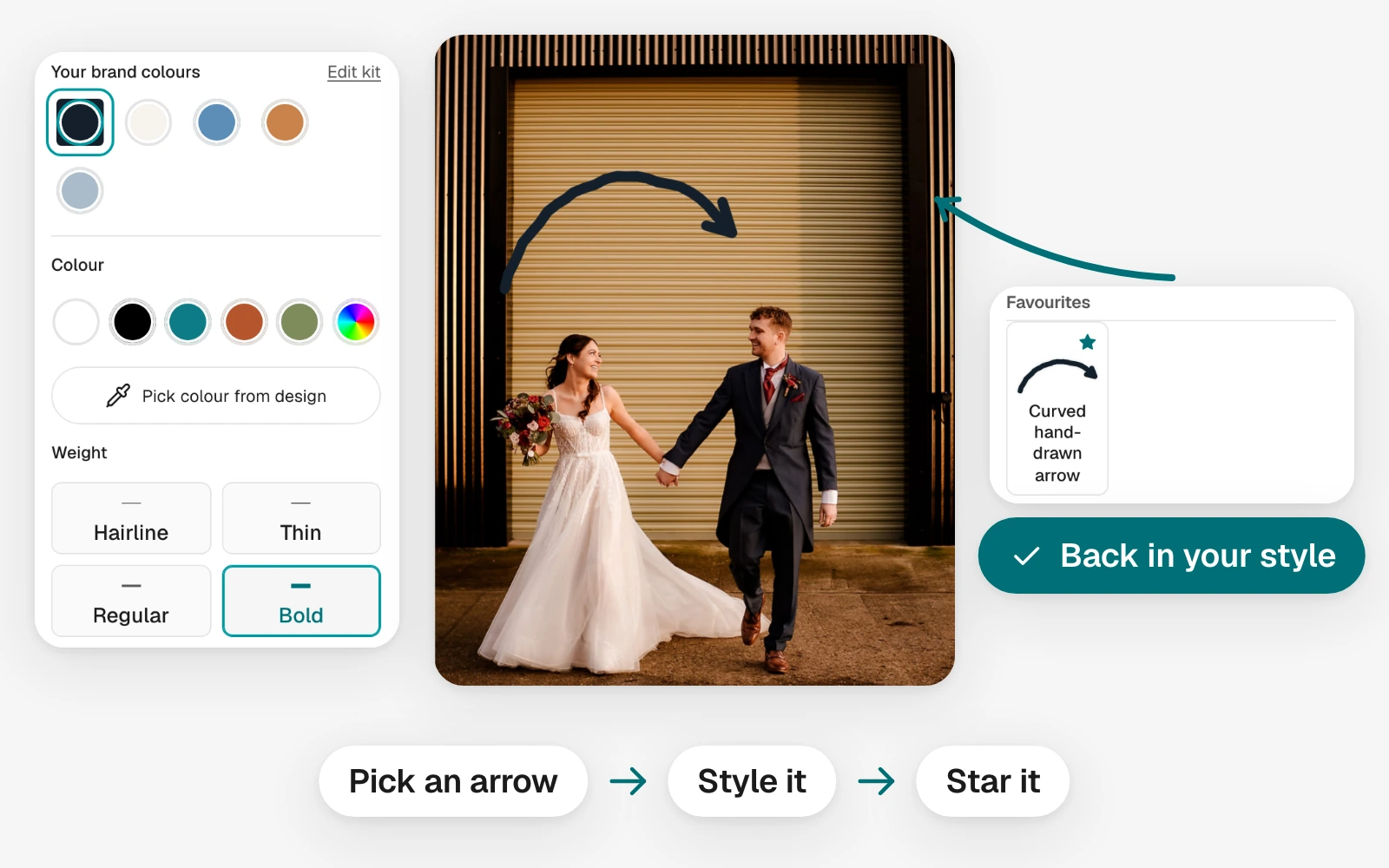
Arrows, frames, seals and hand-drawn marks
Open Shapes & lines in the Designer. Pick an arrow, frame, seal or hand-drawn mark, style it your way, and star it: next time it drops onto the slide in your style, in any design. No more drawing it in another app.
Also on 7 November
- NewIn the Designer, open Shapes & lines for more than 100 lines, arrows, shapes, frames, dividers, seals and hand-drawn marks. Point an arrow at the couple and make it straight, curved or bent, choose how each end looks, then make it dashed, thicker or your brand colour. Put your initials in a seal. Star the ones you style and they come back in your style, in any design. Before, you drew it in another app and styled it again every time. On Solo and up.
Go deeper
More Designer updates
Want all of this when we open?
Leave your email and we'll tell you the day it opens. When it opens: 14 days of everything, free. No card needed.