New featureCompose
Write your caption with the AI
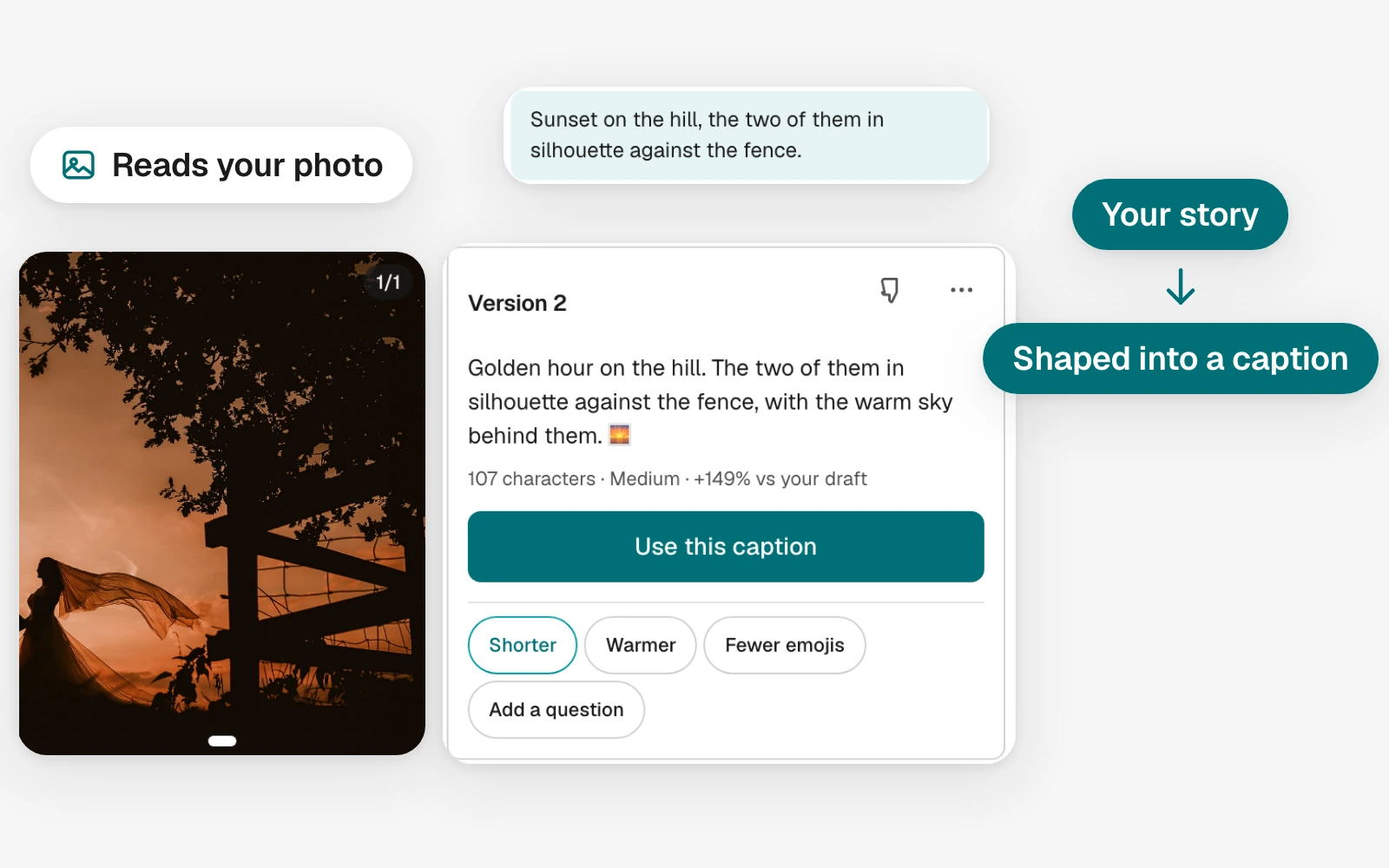
Under the caption box, choose "Chat with Teal, our caption AI" and type the story the way you'd tell a friend, rough notes are fine.
Before
You took the AI's draft and rewrote it by hand.
Now
Under the caption box, choose "Chat with Teal, our caption AI" and type the story the way you'd tell a friend, rough notes are fine.
Write your caption with the AI
Under the caption box, choose "Chat with Teal, our caption AI" and type the story the way you'd tell a friend, rough notes are fine. Then ask for shorter, warmer or a question at the end. Every version shows what to check before you post, and you pick the one that goes in, with Undo if you change your mind. Teal reacts as you go: it says hello, thinks while it writes, and gets sleepy when your chat credits run out. In a hurry? "Just draft it for me" still writes one in a click and uses none of your chat credits. Before, you took the AI's draft and rewrote it by hand. Included on every paid plan, with monthly AI chat credits.
Go deeper
More updates

Want all of this when we open?
Leave your email and we'll tell you the day it opens. When it opens: 14 days of everything, free. No card needed.