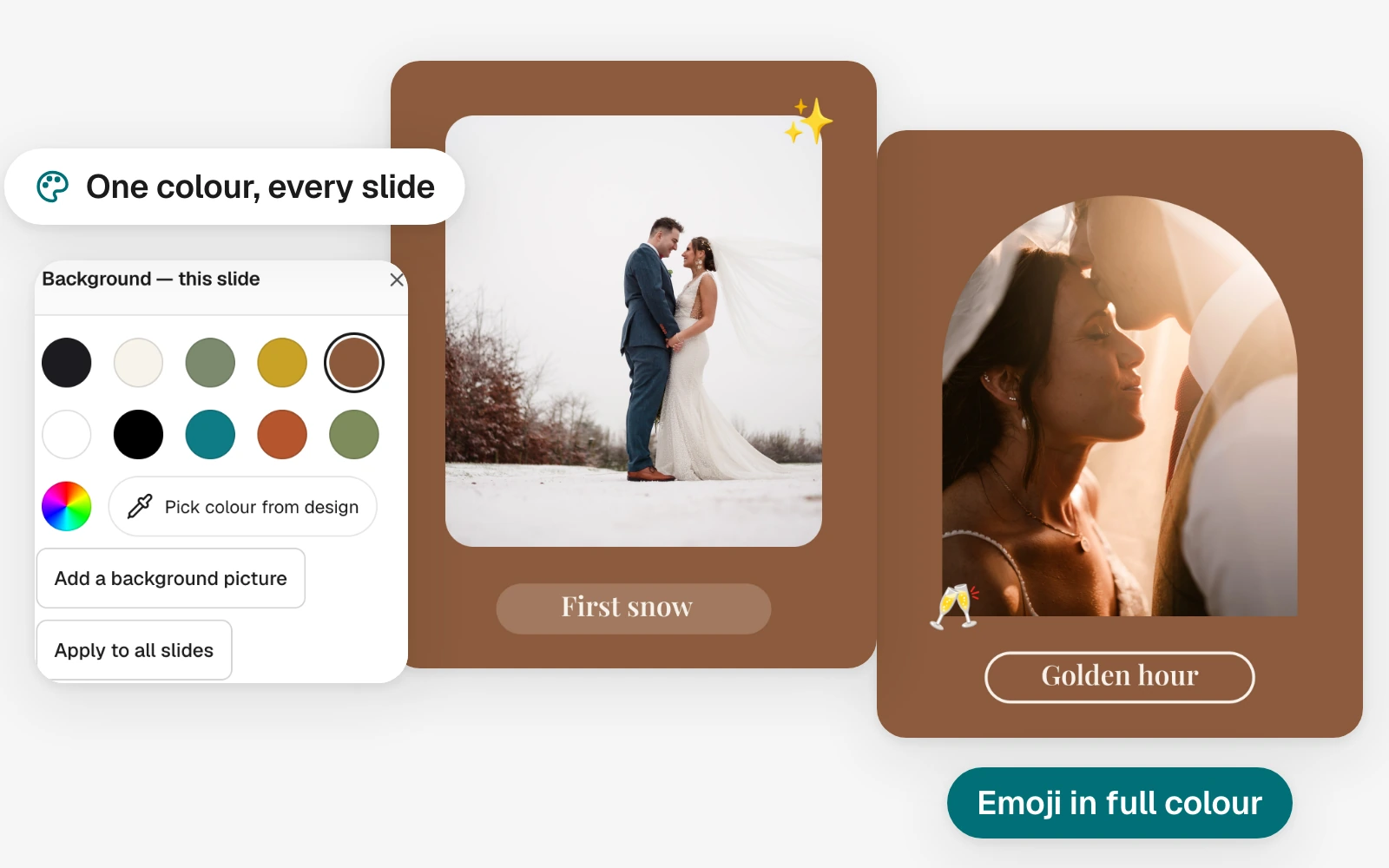
Colour every slide in one press
Pick a colour for a slide, with your brand colours first, and put it on every slide in one press. Shapes and panels take solid, dashed or dotted outlines and rounded corners. What you post looks the way you designed it, emoji included. Before, you coloured each slide by hand.
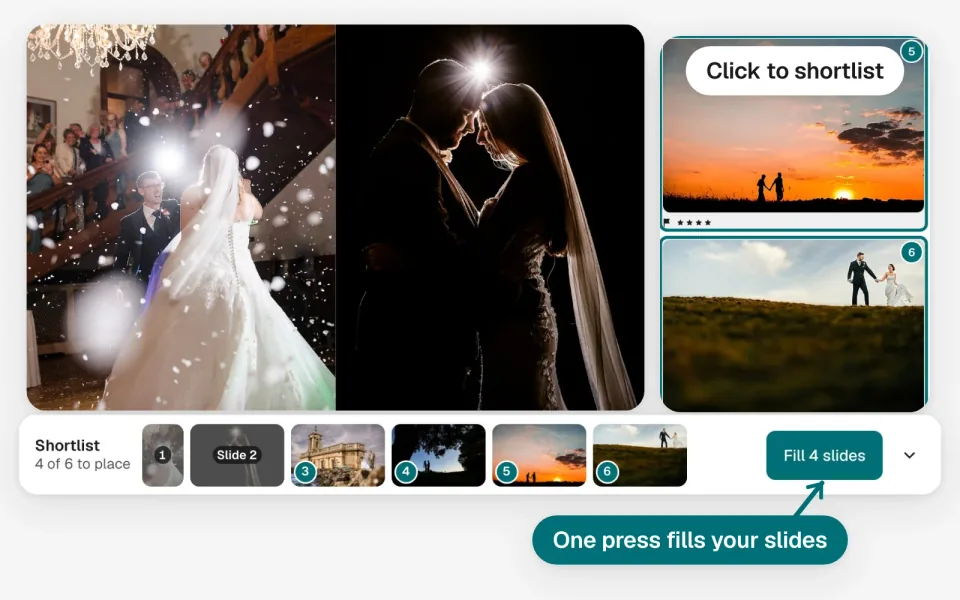
Fill a carousel with one press
On desktop, click the photos you want, put them in order and they land on your slides. Six photos from one gallery take 8 clicks at most. One by one, they took about 27.
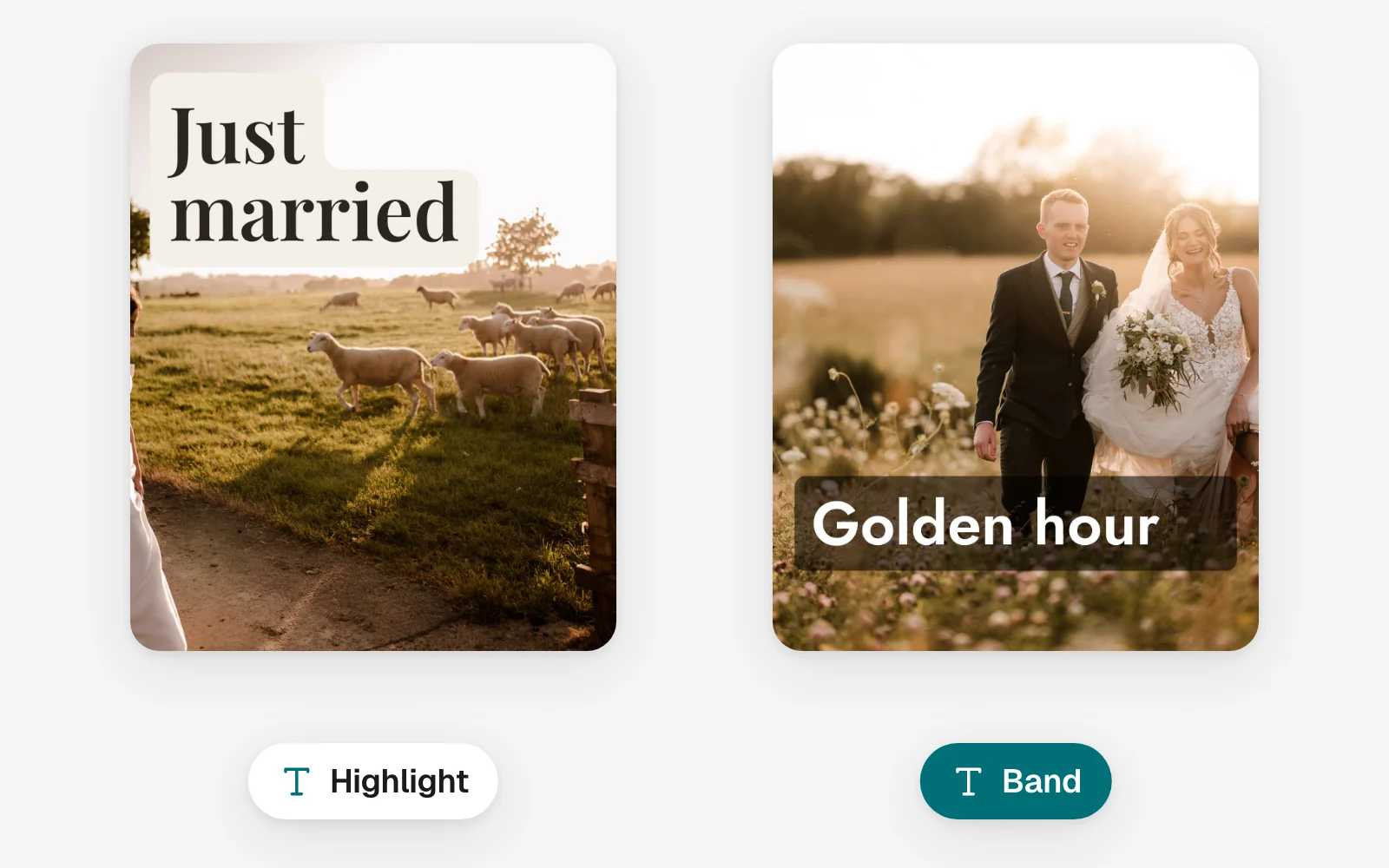
Words that stay readable, pieces that move together
Put a Highlight or a dark Band behind your words, so white text stops vanishing on a bright sky. Group a headline, a date and a badge, and they move and resize as one. Before, you drew a box in another app and lined it all up by eye.
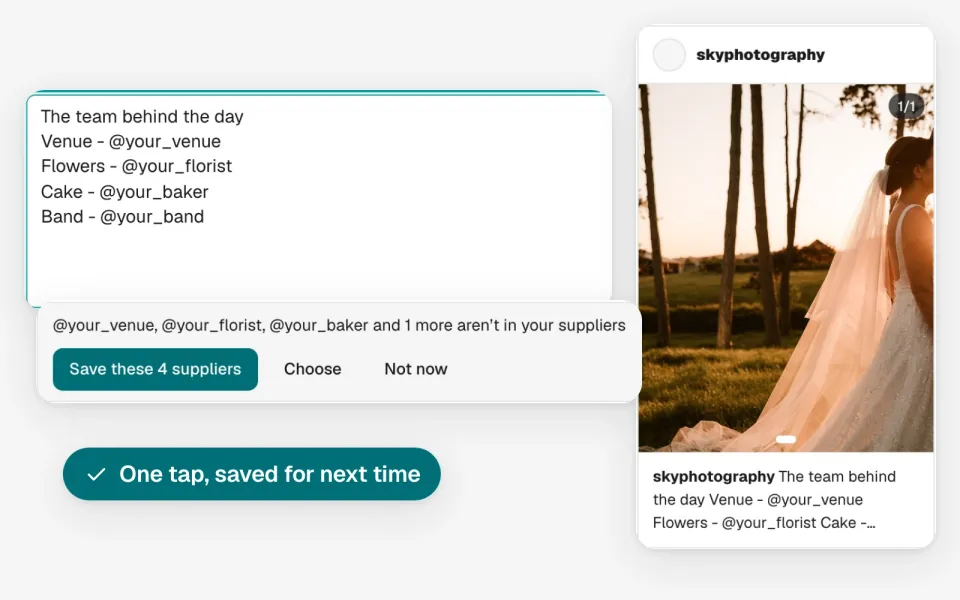
Wide and tall Instagram posts, credits typed once
Choose a wide or tall shape for an Instagram post and the preview shows exactly what will post, so your landscape frames stop being cut down to a square. Type the @handles in your caption and save them in one tap, so next time you pick them instead of typing them out. Instagram handles for now.
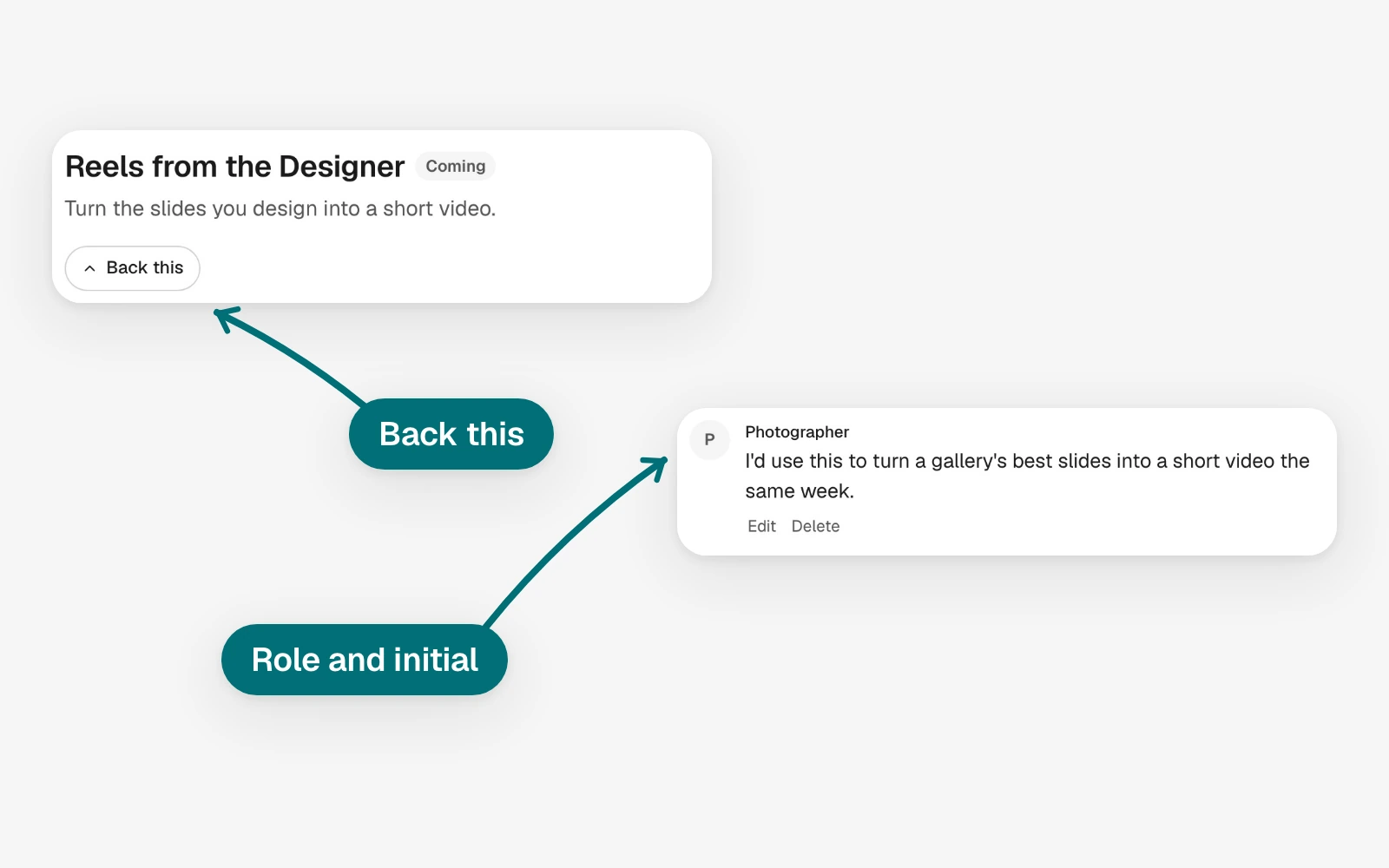
Tell us what to build next
Back what you want first on the roadmap, send us an idea, or say how you'd use something. Back it once and we tell you when it moves, so there's no checking back. Backing tells us what matters most to you; it doesn't buy a place in the queue. Every change we make is listed too, and this is the first monthly update.
Everything else in October
64 changes, newest first. Each date opens that day's update.
New 30
- Instagram widescreen and tall postsPost to Instagram in its wide and tall shapes as well as square and portrait, and see the crop before it goes out.
- The roadmap you can backBack what you want built next, send us ideas, and hear from us when something you back moves.
- Setup that reads your websiteType your website at sign-up and tick what we find: details, logo, colours, fonts. The Designer, your first carousel and your borders use them from day one.
- Lines, shapes and backgrounds in the DesignerAdd lines, badges, stickers, panels, shapes and backgrounds to a slide, without opening another app.
Show 26 more
- Where you see Rewrite for on a platform's tab in Compose, press it and we write that platform's version from your main caption. You read and edit it before it goes. On Solo and above.
- When a couple approves or declines, we tell you in the app and by email.
- One button in the Blog Writer emails the couple to ask whether you may feature their photos. On Solo and above.
- Changed your mind about a scheduled post? Move it back to drafts from the calendar or the queue instead of cancelling it.
- Schedule your photos and videos to TikTok with the rest of your posts. On Solo and above.
- Short guides that point at the real buttons in the app, from Lightroom to your first post.
- Give your own photo on a slide an arch, oval or circle shape. On Solo and above.
- Add your photos at setup and we design a first carousel in your brand colours and fonts, ready for you to finish as a draft. On Solo and above.
- Set stars, flags and labels on one photo or a selection, using the same keys as Lightroom.
- Connect Canva once and import your designs into your library, ready to post. On Solo and above.
- Stars, flags and colour labels show on every photo you send, and you can filter and order by them across your whole library. Needs plugin 1.66.1 or later. Photos sent earlier gain ratings when you publish them again.
- Leave a queue's hashtag box empty and your Lightroom keywords fill it on the way through. Words you type always win. Get the latest plugin. On Solo and above.
- Browse every font with a sample line, star your favourites and use them in the Designer. On Solo and above.
- Type the date, the names, the venue, florist and planner in Lightroom's own Create window, and your first publish makes the gallery with them. Get the latest plugin to see these fields.
- Switch Loop on and, when a queue runs out, it starts again from your originals in the order they first went out. A photo won't repeat within 60 days. On Solo and above.
- Change a caption and post it. Each day the writer learns from your edits, so the next ones need less fixing. One click turns it off. On Solo and above.
- Every post in a queue on one screen: sort it, tick several, drag it into order, and open one beside the list to fix it, crop included. On Solo and above.
- Add up to eight captions you're proud of, typed in or picked from Instagram, and every caption we write follows them. You still edit every one. On Solo and above.
- Write a caption for one queued post or a whole batch, with Stop and Undo. You can edit any of them before it goes. On Solo and above.
- Pick a word or a letter on a slide and give it its own colour, with letter and line spacing beside it. On Solo and above.
- Send a post to the board you choose, with its link. On Solo and above.
- If a post is on hold, the next ready post goes out in its slot. It's a setting on each queue, on by default. On Solo and above.
- Drop equally spaced photo spots onto a slide and set the gap and margin. The whole grid moves as one. On Solo and above.
- Save a post as a template, then start the next one from it, or from a saved design or draft.
- Send your photos to the Designer and come back to the same post, with your caption and platforms where you left them. On Solo and above.
- Tap the platforms you want to see and the calendar shows only those.
Improved 23
- Type + and the start of the florist's name and we find them despite a capital, a stray space or one wrong letter further in.
- The preview and the post's receipt now say when someone you credited has no handle on that platform, so their name goes out as plain text.
- If you've told us you're not a photographer, the get-started guides no longer push Lightroom on you. For photographers, setting up your queue is now the third guide.
- Delete a slide from its header in the Designer: pick the slide, press Delete. A blank slide goes at once, with Undo; a slide with work on it asks first and says what goes.
Show 19 more
- Turn off tips or progress emails in one click, straight from the email. Messages about a failed post or a payment still reach you.
- When you cancel, the screen says what happens next: your galleries and photos stay, and posts beyond the Free plan are held, not deleted.
- The app now follows your spelling setting, so what we call the people you work with reads the way it does where you are.
- Search for 'bride' and find your 'couple' photos instead of an empty page.
- Move a photo up, down or to the top of a hand-picked collection.
- When a publish finishes, a View Gallery button opens it. Get the latest plugin to see it.
- Settings, Security lists every computer connected to Lightroom and lets you disconnect just one.
- Photos, blog post, notes and cover now sit together on the gallery's own page.
- A post that misses its slot without a caption now says so, with an Add a caption button beside it.
- Wide is now a true 16:9, Tall works on carousels, and a draft keeps its shape when you reopen it.
- More dates across the year, and worldwide days now show for every country. UK and US days stay with those countries.
- Copy a new link for a couple and text or WhatsApp it to them. The first email now tells them how long they have to answer.
- All three now say the same thing about which posts are waiting, on hold or going out.
- Type '5 star', a colour or one of your label names and search offers the matching filter, with its photo count.
- Paint a slide any colour and apply it to all your slides, put a highlight or a band behind your words, and pick any colour straight from your design. On Solo and above.
- Colour a slide on any screen, with your brand colours first, and put it on every slide in one press. Before, you coloured each slide by hand. Shapes and panels now take solid, dashed or dotted outlines, rounded corners and a faint see-through look.
- The calendar now says what went wrong and offers the next step, and the dashboard notice opens the post so you can press Retry.
- Search, sort, star and file your designs into categories, then tick several to file or delete in one go. On Solo and above.
- Before you confirm a spread, you see it week by week on a calendar. On Studio and above.
Fixed 11
- Save the florist's hashtags once and any post you write in Compose that names the florist gets them: picked with +, credited, tagged on a photo or @mentioned, Designer posts included. Before, the florist had to be tagged on the photos.
- A carousel made in the Designer keeps the suppliers tagged on its photos, so their credits and saved hashtags come with it.
- Pressing a photo on a slide no longer resets the Media panel.
- Designer posts that already fit the frame no longer offer Fit or border colours that can't change them.
Show 7 more
- A photo you'd already looked at in your library no longer fails to load in the Designer.
- If a post may have gone out despite the error, its platform row now says May have posted, so you check before you post it again.
- The bell rows for a missed post, a post needing approval and a broken connection now open that post or connection.
- We now tell you each time an account needs reconnecting, not only the first time.
- A send from Lightroom to a queue could fail with an error on a paid plan. It now goes through.
- Emoji from the Emoji panel now post in full colour, exactly as they look in the Designer. Before, the posted picture could show a black outline where you saw colour.
- The count now includes hashtags typed in the caption as well as the ones in the hashtag box, so a post isn't refused at the last moment.
Want all of this when we open?
Leave your email and we'll tell you the day it opens. When it opens: 14 days of everything, free. No card needed.