Instagram Story size for photographers: dimensions, safe zones and landscape photos
The Instagram Story size is 1080 × 1920 pixels, a tall 9:16 frame. Meta recommends 9:16 for Stories "to avoid cropping or blank space", and Instagram's app uploads photos at up to 1080 pixels wide.
Below: every Story number Meta publishes, where each one comes from, and the one it doesn't publish (safe zones for ordinary Stories). Last checked 25 October 2026. For feed posts, carousels and the profile grid, see our Instagram post size guide.
Posting to your feed too? With WedSchedulePro, one click in Lightroom sends your photos to your queue, ready to post on the days you choose. See how it works →
| Story photo | Story video | |
|---|---|---|
| Shape | 9:16 recommended | 9:16 recommended; anything from 0.1:1 to 10:1 accepted |
| Size | 1080 × 1920 | 1080 × 1920; no wider than 1920 pixels |
| File | JPEG, up to 8 MB | MP4 or MOV, up to 100 MB |
| Length | — | 3 to 60 seconds through Meta's API |
| Colour | sRGB (other colour spaces are converted) | — |
Sources: Meta's media reference for every Story spec; the 1080 width is from Instagram's help centre. Read 24–25 October 2026.
What size is an Instagram Story?
1080 × 1920 pixels, at 9:16. That's Meta's recommended shape at the width Instagram's app uploads photos at, and it's the frame Meta says avoids cropping or blank space.
If you also run Story ads, Meta's ad guide for Instagram Stories asks for 1440 × 2560. That's the same 9:16 shape with more pixels, so a photo framed for one fits the other. The shape is what decides whether your photo gets cut; the pixel count doesn't.
What aspect ratio is an Instagram Story?
9:16, tall and narrow. Meta's developer documentation recommends it for Story photos and videos "to avoid cropping or blank space", which means any other shape risks one or the other.
So a 4:5 portrait, a square or a 3:2 landscape won't fill the frame as it is. Either part of the photo is cut off, or it sits in empty space. If you want to choose which, make the 9:16 version yourself before you post.
Where are the safe zones on an Instagram Story?
Meta doesn't publish safe zones for ordinary Stories, so there's no official pixel figure to work to. Its only Story numbers are for ads: leave roughly 14% at the top, 35% at the bottom and 6% on each side clear.
That figure comes from Meta's ad guide for Instagram Stories, which says to leave that space free "to avoid cropping key elements or covering them with the profile icon or call-to-action". An ordinary Story has no ad button at the bottom, so treat those numbers as a cautious starting point, not a rule.
Meta's safe zone help page explains why a fixed pixel figure can't be right: on phones with screens taller than 9:16, Instagram may "zoom the creative to better fill the whole screen (which can crop areas outside the safe zone)" or add a black background. The same Story is cut differently on different phones, so a blog quoting exact pixels is guessing. We haven't measured an ordinary Story on a phone yet; when we do, the numbers will go here, with the date.
The safe rule: keep faces, names and text in the middle of the frame, away from all four edges.
How do you fit a landscape wedding photo into a Story?
Put the whole photo inside a 9:16 frame with space above and below, or crop a tall portrait out of it. Posted as it is, a 3:2 landscape is either cropped or left floating in blank space, because Meta only recommends 9:16 to avoid both.
The frame does the maths for you. A 3:2 photo 1080 pixels wide is 720 pixels tall, which leaves 1,200 of the frame's 1,920 pixels empty. Fill that space with a plain colour, a second photo or your words, and keep anything that matters inside the middle of the frame.
 9:16
Story
1080 × 1920
- 3:2
3:2 landscape
1080 × 720
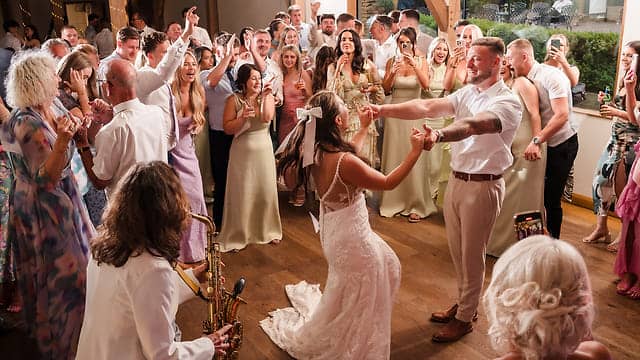
Crop instead when the photo has one clear subject, such as a portrait of the couple, that still reads as a tall frame. A first dance with the whole room in it rarely does.
What size is an Instagram Story video?
1080 × 1920 (9:16), between 3 and 60 seconds, as an MP4 or MOV of up to 100 MB. Those are the limits in Meta's developer documentation for Stories posted through its API, which is how a scheduling tool posts.
The same page asks for 23 to 60 frames per second and no more than 1920 pixels across. In the app, Instagram's help centre says a video up to 60 seconds long appears as one clip, and longer videos are broken up into several.
Is an Instagram Story the same size as a Reel?
Yes: the 9:16 frame suits both. Instagram's help centre says a Reel can be any shape between 1.91:1 and 9:16, with a minimum resolution of 720 pixels, so a frame you design for a Story also fits a Reel.
How long does an Instagram Story stay up?
24 hours. Instagram's help centre says Stories disappear from your profile, Feed and Direct inbox after 24 hours, unless you add them to your profile as highlights.
How do you export a photo for an Instagram Story?
Crop to 9:16, then export a JPEG in sRGB, 1080 pixels wide and under 8 MB. Meta's documentation says Story photos must be JPEG, up to 8 MB, and that images in other colour spaces "will have their color spaces converted to sRGB".
Convert to sRGB yourself and you decide how the colours land, not Instagram. Do the 9:16 crop yourself too, so you choose what stays in the frame.